★★★★★
Verified Customer
Shure quilty speaks for it's self features are great does what need it to do. You can this with slxd5+ or slxd+ receiver units. Super easy to order from stagesupply amazing support and service.
★★★★★
Verified Customer
Great and durable, very good quality. I recommend it worth buying
★★★★★
Verified Customer
Excellent product and delivered very quickly.
★★★★★
Verified Customer
Excellent speedy service. Thanks!
★★★★★
Verified Customer
Excellent company, came well packaged and within the time promised
★★★★★
Verified Customer
Exactly what I needed, turned an expensive repurchase into a cheap fix. Thanks.
★★★★★
Verified Customer
Purchased for our professional AV and event production setups. The ordering process was straightforward, and the local Click & Collect service made collection convenient. Very pleased with the service from Stage Supply.
★★★★★
Verified Customer
Another major advantage is their convenient Click & Collect service. Being based in Wembley makes it much easier for local AV professionals like myself to order equipment online and collect it directly, rather than waiting for deliveries or dealing with courier restrictions.
In the live event production industry, equipment is often needed at short notice, so having a knowledgeable local supplier offering Click & Collect is a real benefit.
Combined with their hands-on AV production experience, friendly service and professional advice, Stage Supply has made purchasing equipment much more convenient and straightforward.
I look forward to continuing to work with them and would happily recommend them to other AV and event production professionals.
★★★★★
Verified Customer
I recently discovered Stage Supply in Wembley, London, and my experience with them has been excellent.
I have traditionally purchased most of my professional AV equipment from Thomann. However, when my recent order for a 3-metre Global Truss was cancelled due to UK courier restrictions, I began searching for a reliable local supplier and came across Stage Supply on Google.
Since then, I have placed several orders with them and have been genuinely impressed by their service, professionalism and industry expertise.
Although Stage Supply is a relatively new business, the team behind it brings extensive practical experience in professional AV and live event production. They also operate their own AV production company, which is a significant advantage.
What sets them apart is that they understand equipment from the perspective of working AV engineers and production professionals, not just as retailers. They understand the technical requirements, practical challenges and pressures involved in delivering live events. This makes communication straightforward and their advice particularly valuable.
As someone working in the AV production industry myself, I really appreciate dealing with suppliers who have genuine hands-on experience and understand exactly what we need.
The team is knowledgeable, approachable, friendly and professional. It’s refreshing to find a local supplier in Wembley offering this level of expertise and personal service.
I’m delighted to have discovered Stage Supply and look forward to developing a long-term working relationship with them as their business continues to grow.
I would highly recommend Stage Supply to AV professionals, sound and lighting engineers, event production companies and anyone looking for quality equipment supported by genuine industry knowledge and excellent customer service.
★★★★★
Verified Customer
Great service from Stage supply. Mathew was really helpful
★★★★★
Verified Customer
Needed this urgently for an event, excellent item.
★★★★★
Verified Customer
Gold standard for production use. Wouldn't use anything else
★★★★★
Verified Customer
Amazing service


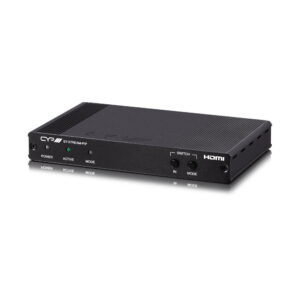
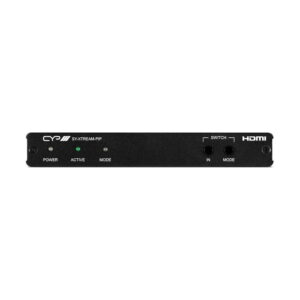
 CYPCYP 3