

Home » Guides » Power, Cabling & Connectors »
Pro Audio Connectors Explained: XLR, Jack, speakON, powerCON and More
Every connector you will meet on a stage, what it actually carries, which ones lock, and the mixes and adapters that will get you into trouble.
~11 min read · Updated July 2026 · By the Stage Supply team
In this guide: Master table · XLR · 1/4″ jack: TS vs TRS · speakON · powerCON and TRUE1 · etherCON · RCA, BNC, MIDI · Combi cables · Adapters · FAQ
Cabling is where most stage problems start. Hum, dropouts, blown drivers and tripped breakers are far more often a connector or cable choice than a fault in the gear itself. This guide covers every common stage connector: what signal it is designed for, how it is wired, whether it locks, and which substitutions are safe. Bookmark it, and next time someone hands you a guitar lead to hook up a subwoofer you will know exactly why to hand it back.
The Master Reference Table
Every connector in this guide at a glance. The golden rule of stage cabling: the connector tells you what family the signal belongs to, but not always which exact signal. A 3-pin XLR might carry mic level, line level, DMX or an intercom circuit. Always check both ends of the chain.
| Connector | Signal type | Typical use | Lockable | Notes |
|---|---|---|---|---|
| XLR 3-pin | Balanced audio | Mics, line runs, DI outputs | Yes (latch) | Carries 48 V phantom for condensers |
| XLR 5-pin | DMX512 data | Lighting control | Yes (latch) | The official DMX connector; 3-pin common in practice |
| 1/4″ TS jack | Unbalanced audio | Guitars, pedals, keyboards | No | Keep runs short; picks up noise |
| 1/4″ TRS jack | Balanced audio / stereo / insert | Line runs, headphones, insert points | No | Same noise rejection as XLR when wired balanced |
| speakON NL2 / NL4 / NL8 | Amplified speaker level | Amp to passive speaker | Yes (twist latch) | Touch-proof; 2, 4 or 8 poles for bi/tri-amping |
| powerCON | Mains power | Powered speakers, amps, moving lights | Yes (twist latch) | 20 A 250 V; never connect or break under load |
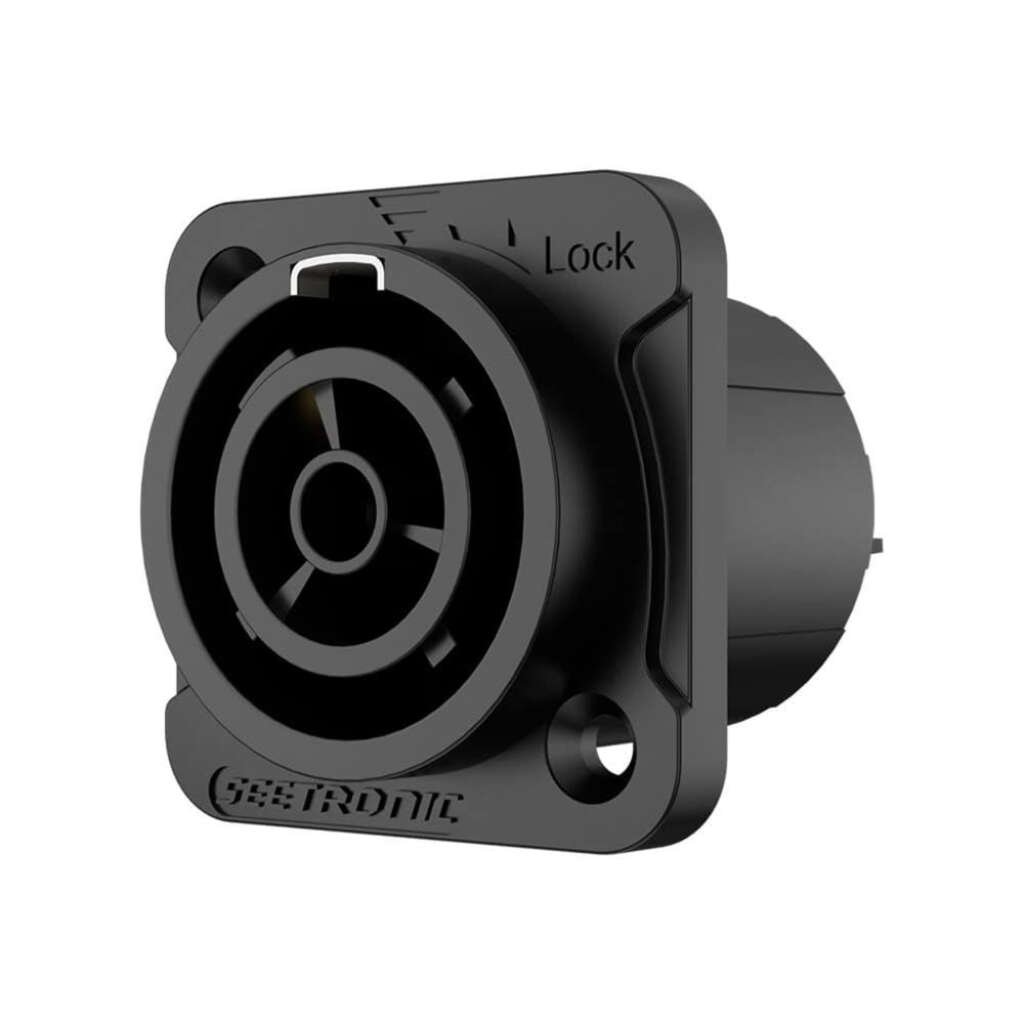
| powerCON TRUE1 TOP | Mains power | Modern touring kit, outdoor rigs | Yes (twist latch) | 16 A (EU rating); breaking capacity; UV resistant, IP65 sealable |
| etherCON | Ethernet data | Digital stageboxes, Dante, Art-Net | Yes (latch shell) | Ruggedised RJ45; accepts standard RJ45 plugs |
| RCA / phono | Unbalanced audio | DJ mixers, turntables, hi-fi sources | No | Also carries S/PDIF digital and turntable phono level |
| BNC | Clock / video / RF | Wordclock, SDI video, wireless antennas | Yes (bayonet) | Impedance matters: 75 ohm vs 50 ohm variants |
| 5-pin DIN (MIDI) | MIDI data | Keyboards, controllers, synths | No | Data only, not audio; being displaced by USB and TRS MIDI |
XLR 3-Pin: The Balanced Audio Workhorse
The 3-pin XLR is the standard for professional analogue audio, and it earned that position for good reasons: it locks, it connects the screen first on insertion, and above all it carries a balanced signal. The pin-out is fixed by convention (AES14): pin 1 is the screen (shield), pin 2 is hot (signal +), pin 3 is cold (signal -). “Pin 2 hot” has been the universal standard for decades; if you ever meet vintage kit wired pin 3 hot, relabel it before it bites you.
Balancing is why an XLR mic cable can run 50 metres across a venue floor, past dimmers and power distro, and arrive clean. The same audio signal travels down both signal conductors, one of them polarity-inverted. Any interference picked up along the way lands equally on both conductors. At the destination, a differential input takes the difference between the two, which reconstructs the wanted signal and cancels the identical noise on each leg. This is common-mode rejection, and it is the single biggest difference between professional and consumer cabling.
| XLR quick facts | Detail |
|---|---|
| Pin-out | 1 screen, 2 hot, 3 cold |
| Signal levels | Mic level (millivolts) or line level (around 1 V nominal) |
| Locking | Push latch on the female; will not pull out under stage traffic |
| Phantom power | 48 V DC applied equally to pins 2 and 3, referenced to pin 1 |
Phantom power in one paragraph
Condenser microphones and active DI boxes need power, and the balanced XLR line delivers it invisibly: 48 V DC applied to pins 2 and 3 together. Because it sits on both signal legs equally, a balanced dynamic mic simply ignores it. Where phantom does cause trouble is with unbalanced sources, ribbon mics with wiring faults, and some consumer kit plugged in via adapters, so the working practice is simple: only switch phantom on for the channels that need it, and mute the channel before plugging or unplugging. Stock up on XLR connectors in both genders; they are the connector you will re-terminate most often.
XLR is a family, not a signal
A 3-pin XLR also turns up carrying DMX lighting data on budget fixtures, even though the DMX512 standard specifies 5-pin XLR and 120 ohm data cable. Mic cable will pass DMX over short runs but causes flickers and glitches on longer daisy chains. Use proper DMX cables for lighting; the full story is in our guide to DMX addressing, universes and cables.
1/4 Inch Jack: TS vs TRS
The 6.35 mm jack is over a century old and still everywhere, but it comes in two electrically different versions that look nearly identical. Count the black insulating rings on the plug tip.
TS (tip-sleeve): one ring, unbalanced
Two contacts: tip carries the signal, sleeve is the screen. This is the guitar and pedal connector. Because there is only one signal conductor, there is no noise cancellation; whatever hum and interference the cable picks up goes straight into your amp. That is fine for a 3 metre guitar lead on stage, and exactly why long unbalanced runs across a venue are a bad idea. If you need to get an instrument signal to the desk over distance, use a DI box and go balanced over XLR.
TRS (tip-ring-sleeve): two rings, three jobs
Three contacts: tip, ring, sleeve. The same physical plug does three completely different jobs depending on what it is plugged into:
- Balanced mono: tip hot, ring cold, sleeve screen. Same noise rejection as XLR; standard on mixer line outputs and studio monitors.
- Unbalanced stereo: tip left, ring right. Headphone outputs everywhere.
- Insert point: tip send, ring return (or vice versa, check the desk manual). One socket, both directions, for patching compressors and gates into a channel.
- Rule of thumb: a TRS lead into a balanced socket behaves balanced; the plug alone tells you nothing without knowing the sockets at each end.
The classic mistake: a guitar lead as a speaker lead
A guitar lead and an old-style jack speaker lead have identical plugs but completely different cable inside. A guitar lead is thin screened cable built for millivolt signals; a speaker lead is heavy unscreened twin-core built for tens of amps. Run an amplifier’s speaker output through a guitar lead and the thin conductors heat up, waste power, and can fail; with valve amplifiers a melted lead can present the output transformer with an open or shorted load and destroy it. Going the other way, an unscreened speaker lead used on a guitar picks up ferocious hum. If the amp still has jack speaker outputs, buy purpose-made speaker jack leads and label them boldly, or better, move to speakON.
speakON: NL2, NL4 and NL8
Neutrik designed the speakON specifically to fix everything wrong with jacks on speaker lines, and it is now the standard for connecting amplifiers to passive loudspeakers. Three properties make it the right tool:
- It locks. Twist to latch; it cannot be kicked out mid-show like a jack can.
- It is touch-proof. The contacts are recessed, so nobody can touch live speaker terminals. A big amp can put well over 100 V across its output; a jack plug exposes that on bare metal as you insert it.
- It carries serious current. The current NL4FX cable connector is rated 40 A rms continuous per contact (the older NL4FC: 30 A). A 1/4″ jack was never designed for anything like that.
- No accidental cross-plugging. You cannot plug a speaker line into a mic input or vice versa.
2, 4 or 8 poles: which one do you need?
| Variant | Poles | Use it for |
|---|---|---|
| NL2 | 2 (1+ / 1-) | Single full-range speaker or sub, one circuit |
| NL4 | 4 (1+/1-, 2+/2-) | The default. Bi-amped cabinets (LF on circuit 1, HF on circuit 2), sub-plus-top on one cable, or ordinary single circuit using pins 1+/1- only |
| NL8 | 8 (4 circuits) | Tri- and quad-amped touring boxes and multichannel amp racks; NL8FC rated 30 A rms continuous per contact |
A 2-pole plug mates with a 4-pole chassis socket on circuit 1, which is why NL4 is the sensible standard to stock: it covers everything NL2 does and leaves the second circuit available. If you are matching amplifier channels to cabinets and wondering when bi-amping earns its keep, our guide to matching amplifiers and speakers covers it. Browse speakON connectors for cable ends and chassis sockets.
powerCON and powerCON TRUE1 TOP
powerCON brought the speakON’s locking shell to mains power, and it is now on the back of most powered speakers, amplifiers and moving lights. The original series is rated 20 A at 250 V AC and is strictly colour-coded:
| Connector | Colour | Role |
|---|---|---|
| NAC3FCA | Blue | Power IN: mains feed into a device |
| NAC3FCB | Grey (light grey) | Power OUT: daisy-chain outlet feeding the next device |
Blue and grey are keyed differently, so an inlet lead cannot be plugged into an outlet socket. That is deliberate: it stops you building a lead with exposed live pins on a male connector fed from an outlet. When daisy-chaining powered speakers, add up the actual current draw of the whole chain and keep it comfortably inside both the 20 A connector rating and the rating of the wall supply feeding it; on UK 13 A sockets, the plug fuse is your real limit. Find cable connectors and chassis sockets in our powerCON connectors range, and made-up leads under power cables.
Safety: powerCON vs TRUE1 is not a style choice
Original powerCON has no breaking capacity. Neutrik states it must not be connected or disconnected under load or live. It is a connector, not a switch: pull it while the fixture is drawing current and you can draw an arc across the contacts, damaging the connector and risking injury. Switch the device or the distro circuit off first, every time.
powerCON TRUE1 TOP (NAC3FX-W-TOP series) is the successor built to fix exactly this. It is certified with circuit breaking capacity (CBC), rated 16 A 250 V AC on the European approval (20 A on the North American one), so it can be safely connected and disconnected under load. TOP stands for True Outdoor Protection: UV-resistant materials, and IP65 sealing when mated or fitted with the sealing cover, which is why it dominates outdoor and touring rigs. Crucially, TRUE1 and original powerCON do not intermate. The shells are deliberately incompatible, because a cross-bred lead would carry TRUE1’s under-load expectations onto a connector that cannot break load. If your rig mixes both generations, you need both lead types, clearly labelled.
etherCON: Ethernet That Survives a Stage
Modern audio and lighting increasingly travel as network data: digital stageboxes to consoles, Dante and AES67 audio networks, and Art-Net or sACN lighting data. The weak point is the RJ45 plug, whose plastic latch snaps the first time a flightcase rolls over it. etherCON is Neutrik’s answer: a standard RJ45 inside a ruggedised, latching XLR-style metal shell. An etherCON chassis socket also accepts a plain RJ45 plug, so office patch leads work in a pinch; you only get the locking and strain relief when both ends are etherCON.
Cat5e or Cat6 on stage?
For almost everything a stage network does, Cat5e is electrically sufficient: gigabit Ethernet to 100 m covers Dante, most digital stagebox protocols and any amount of Art-Net. Cat6 and Cat6A buy you more headroom, better crosstalk performance and a path to 10 Gb backbones between switches. On stage the cable’s build quality matters more than its category: choose flexible, shielded touring-grade cable with a decent jacket rather than solid-core installation wire, which fatigues and breaks when repeatedly coiled. Buy pre-made ruggedised leads from our network and etherCON cables range, and carry at least one spare: when the console-to-stagebox link is one cable, that cable is the show.
RCA, BNC and MIDI: The Supporting Cast
RCA / phono
Unbalanced, unlocking, consumer-grade, and yet the backbone of the DJ world: turntables, CDJs and DJ mixer channels all run on RCA. Two things to respect. First, turntable phono outputs are tiny signals needing RIAA equalisation, so they must go into an input marked PHONO, not LINE. Second, because RCA is unbalanced, keep runs short and away from power cables; a DJ booth to FOH run should be converted to balanced XLR at the mixer’s master outputs, not stretched over 20 m of phono lead.
BNC
The bayonet-locking coaxial connector for anything that is not audio: wordclock between digital devices, SDI video, and antenna feeds on radio mic systems. Impedance matters here in a way it never does with audio leads: wordclock and video are 75 ohm systems, while wireless antenna runs are 50 ohm. The connectors mate either way, so label your stock; a mismatched cable “works” while degrading clock or RF performance.
5-pin DIN (MIDI)
The classic MIDI connector carries note and control data between keyboards, synths and controllers. It is data, not audio: plugging a MIDI lead into anything expecting sound achieves nothing. Newer gear increasingly uses USB or 3.5 mm TRS MIDI instead, and TRS MIDI comes in two incompatible wirings (Type A and Type B), so check which your devices use before buying adapters.
Combi and Hybrid Cables
Two space-savers worth knowing. Combo chassis sockets (the XLR socket with a jack slot in the middle) accept either an XLR or a 1/4″ jack in the same hole, which is why compact mixers can offer mic and line input on one socket. Hybrid cables bundle two services in one jacket: signal-plus-power hybrids (such as powerCON-and-XLR leads for powered speakers) and DMX-plus-power hybrids for moving lights halve the cable runs on a rig. The discipline they demand is simple: both services in the bundle must each be rated for the job, and a damaged hybrid takes out two services at once, so inspect them more ruthlessly than single leads.
Adapters: The Safe, The Compromised and The Dangerous
Every adapter answers the question “will it fit?” with yes. The real question is whether the signal levels, current and safety assumptions on each side match.
Generally safe
- XLR to TRS (balanced line to balanced line)
- XLR gender changers and couplers
- RCA to jack for consumer line sources
- RJ45 patch lead into an etherCON socket
Compromised or dangerous
- XLR to TS: unbalances the line, loses noise rejection, shorts phantom’s cold leg to screen
- Jack to speakON on line-level kit (see below)
- Any home-made mains adapter mixing connector families
- 50 ohm and 75 ohm BNC leads swapped on clock or RF
The jack-to-speakON trap
A jack-to-speakON adapter has exactly one legitimate use: connecting an older amplifier’s jack speaker output to a speakON-equipped passive cabinet, using speaker cable throughout. The dangerous scenarios are the reverse ones. Plug an amplifier’s speaker output into a powered speaker’s line input via such an adapter and you dump tens of volts of speaker-level signal into a circuit expecting one volt: the input stage dies instantly. And a speakON lead into a mixer output achieves nothing but confusion, because there is no amplifier in the path. Before any adapter goes near a rig, name the signal on each side: mic, line, instrument, speaker, mains or data. If the two names differ, the adapter does not fix that; it just lets the mistake fit.
Choosing at a glance
Reach for XLR if
- It is a mic, DI or line signal travelling any real distance
- The source needs phantom power
- You want a lock and a repairable connector
Reach for speakON if
- The signal has been through a power amplifier
- You are bi-amping (NL4) or running multichannel racks (NL8)
- The lead will be trodden on and yanked
Reach for TRUE1 if
- You are specifying new kit or building new power looms
- The rig goes outdoors (IP65 when sealed)
- Crews may plug or unplug with the rig live
Popular picks from the shop
FAQ
XLR vs jack: which is better?
For balanced line-level signals they are electrically equivalent: a TRS jack wired balanced rejects noise just as well as an XLR. XLR wins on the physical side: it locks, the screen connects first, and it carries phantom power reliably. A TS jack, by contrast, is always unbalanced. So: XLR for mics and anything long or critical, TRS where the gear provides jack sockets, TS only for instruments over short runs.
What is the difference between TS and TRS?
Count the rings. TS (one ring) has two contacts and is always unbalanced: guitars, pedals. TRS (two rings) has three contacts and can carry a balanced mono signal, an unbalanced stereo signal, or a send-and-return insert, depending entirely on the sockets it connects. The plugs are physically compatible, but putting a TS plug into a balanced TRS output shorts the cold leg to ground and unbalances the line.
speakON vs jack for speakers: does it really matter?
Yes. speakON locks, is touch-proof, and the current NL4FX is rated at 40 A rms continuous per contact; a jack does none of that and exposes live speaker voltage on its shaft during insertion. If your amp and cabinets offer both socket types, always use the speakON. Jacks on speaker lines survive only in small backline and vintage kit.
What is the difference between powerCON and powerCON TRUE1?
Original powerCON (blue in, grey out) is rated 20 A 250 V but has no breaking capacity: it must never be connected or disconnected under load. TRUE1 TOP has certified circuit breaking capacity (16 A on the European rating, 20 A on the North American one), is UV resistant and seals to IP65, making it safe to hot-plug and suitable outdoors. The two generations deliberately do not intermate, so leads are not interchangeable between them.
Can I use a normal Ethernet cable instead of etherCON?
Electrically, yes: an etherCON socket accepts a standard RJ45 plug, and Cat5e handles gigabit traffic to 100 m. What you lose is the locking shell and strain relief, and a snapped RJ45 latch mid-show on your console-to-stagebox link is a show-stopper. Use touring-grade etherCON leads for anything critical and keep office patch leads as emergency spares.
Can I use a mic cable for DMX?
It will often appear to work on a short run with a couple of fixtures, but mic cable has the wrong impedance for DMX512’s 120 ohm data signal, and on longer daisy chains you get reflections that cause flicker and random triggering. Use proper DMX cable and terminate the chain. Our DMX guide explains why in full.
Does phantom power damage dynamic mics or DI boxes?
A healthy, correctly wired balanced dynamic mic is unaffected by 48 V phantom, because the voltage sits equally on pins 2 and 3. Passive DI boxes are likewise fine, and active DIs usually need phantom to work at all. The risks are wiring faults, unbalanced adapters, and some ribbon mics, where phantom on a faulty line can cause damage. Good practice: phantom on only where needed, and mute before plugging.
Why will my TRUE1 lead not plug into my powered speaker’s powerCON inlet?
Because it is not meant to. Neutrik deliberately made TRUE1 and original powerCON non-intermateable: TRUE1 is certified for connection and disconnection under load and original powerCON is not, so a physical cross-connection would defeat the safety rating. You need a lead of the same generation as the inlet on the device, which in mixed rigs means carrying both and labelling them clearly.
Shop this guide
Genuine connectors and touring-grade cable, held in UK stock with next-day delivery for regular buyers.
All connectors XLR connectors speakON connectors powerCON connectors



