

Home » Guides » Mixers & PA Systems »
Multitrack Recording a Live Show From Your Mixer: USB, SD, Dante and Virtual Soundcheck
Every current Allen & Heath CQ, Qu and SQ mixer can record a gig track by track, and Avantis and dLive do it through option cards. Here is how many tracks each desk records, where the files go, what storage Allen & Heath recommend, and how to replay the recording for a virtual soundcheck.
~10 min read · Updated October 2026 · By the Stage Supply team
In this guide: The short answer · Four ways to record · Mixer by mixer · CQ · Qu · SQ+ · Avantis and dLive · Cards and drives · Virtual soundcheck · Standalone recorders · Show-day checklist · Popular picks · FAQ
The short answer
If you own a recent Allen & Heath CQ, Qu or SQ, you do not need to buy a recorder. Each one records multitrack two ways: straight to a card or drive plugged into the desk, or over USB into a computer running recording software. Avantis and dLive record through an option card, usually Dante or Waves, into a computer.
- Simplest: record to the desk itself. CQ records to an SD card, the new Qu to SD, Qu-SB and Qu-Pac to a USB key or drive with Qu-Drive, and SQ+ to a USB drive with SQ-Drive. No laptop needed.
- Most tracks on a small desk: USB into a computer. SQ+ and the new Qu both offer 32 x 32 channels this way.
- Large systems: a Dante card in Avantis or dLive puts 64 or 128 channels on the network at 48 or 96kHz, and a computer records them with Dante Virtual Soundcard (sold separately). Allen & Heath list Dante Virtual Soundcard recording on these cards at 64 channels at 48kHz or 32 at 96kHz. The Waves V3 card records up to 128 tracks at 96kHz over a SoundGrid network.
- Virtual soundcheck is the payoff: play the recording back into the same channels and tune the mix in an empty room.
Streaming rather than recording? The USB side of this is covered in getting the mixing desk into your livestream.
Four ways to record a show
1. On-board recording to SD card or USB drive
The desk writes one file per track to removable storage. It is the most reliable option for volunteers and small crews, because there is no computer to crash, sleep or update mid-show. Allen & Heath’s own playback instructions for CQ and SQ describe each track as a mono WAV file, so the recording drops straight into any recording software afterwards.
2. USB audio interface into a computer
The desk appears as a multichannel audio device on a Mac or PC and your recording software (any DAW that works with Core Audio on a Mac or ASIO on Windows) records each channel to its own track. You get more tracks than on-board recording on some desks, and the files land where you will edit them. The trade-off is that the laptop becomes part of the show.
3. Network card: Dante or Waves
On SQ+, Avantis and dLive, an option card puts the desk on an audio network. A computer on that network records the channels. This is how the larger systems record, and on SQ+ it is the route when the desk is already part of a Dante or Waves network. Background on networks is in Dante vs analogue multicore and the cards themselves in Allen & Heath option cards explained.
4. A stereo recorder on a desk output
A two-track recorder fed from a spare output gives you a finished stereo mix with nothing to mix down. It is a sensible backup alongside a multitrack, and the only route if you just want the mix. See standalone recorders below.
Recording on each Allen & Heath mixer
Track counts are from Allen & Heath’s product pages and support articles. Where a figure is given as 24 x 22 or 32 x 32, the first number is channels going to the recorder and the second is channels coming back for playback.
| Mixer | On-board multitrack | USB to computer | Network / option card |
|---|---|---|---|
| CQ-12T | SD card, 16 x 16 at 48 or 96kHz | USB-B, 16 x 16 (48/96kHz) | None |
| CQ-18T | SD card, 24 x 22 at 48kHz or 16 x 16 at 96kHz | USB-B, 24 x 22 (48/96kHz) | None |
| CQ-20B | SD card, 24 x 24 at 48kHz or 16 x 16 at 96kHz | USB-B, 24 x 24 (48/96kHz) | None |
| Qu-5, Qu-6, Qu-7 | SD card, 32 x 32 at 48kHz or 16 x 16 at 96kHz, 24-bit | USB-C, 32 x 32 (48/96kHz) | D versions add a 16 x 16 Dante interface at 48 or 96kHz |
| Qu-SB, Qu-Pac | Qu-Drive to USB key or hard drive: 18 tracks (16 mono + a stereo pair), 48kHz, 24-bit | 32 x 32 | None |
| SQ-5+, SQ-6+, SQ-7+ | SQ-Drive to USB drive: 32 tracks at 48kHz, 16 at 96kHz (24-bit), or a stereo mix | USB-B, 32 x 32 at 48 or 96kHz | One I/O port: Dante 32 x 32 or 64 x 64, Waves 64 x 64, MADI, SLink |
| Avantis / Avantis Solo | Internal storage for stereo record and playback | USB stereo playback; no USB multitrack interface listed | Two I/O ports, each up to 128 x 128 at 96kHz: Dante 64 or 128, Waves, MADI, gigaACE |
| dLive | Not listed on Allen & Heath’s dLive pages | Not listed | I/O ports, 128 channels at 96kHz each: three on DM MixRacks, one on CDM, two on S Class surfaces, one on C Class |
Every desk here can record at least 16 tracks one way or another, which covers a typical band or church setup. The choice between the families is covered in CQ vs Qu, SQ-5 vs SQ-6 vs SQ-7 and Avantis vs dLive.
Allen & Heath CQ: SD card or USB-B
All three CQ models have an SD card slot for multitrack record and playback, a USB-B audio interface for a computer, and stereo record and playback to a USB key with its own input channel. The CQ-18T and CQ-20B record 24 tracks to SD at 48kHz or 16 at 96kHz. The CQ-12T records 16 at either rate.
Allen & Heath’s SD procedure is short: choose the source point the recording is taken from, choose the sample rate, then arm the channels on the multitrack record screen and press record. When you stop, give the desk a moment to finalise the files before pulling the card.
Two things catch people out. Choosing 96kHz caps the recording at 16 channels. And if the CQ judges the card slower than Class 10, it automatically reduces the number of channels you can arm. Use the card Allen & Heath specify (see cards and drives).
On a Mac, the CQ’s USB-B interface is Core Audio compliant. Windows needs Allen & Heath’s ASIO/WDM driver.
Allen & Heath Qu: SD card, USB-C and Qu-Drive
There are now two generations of Qu on sale and they record differently.
Qu-5, Qu-6 and Qu-7 (and the D versions)
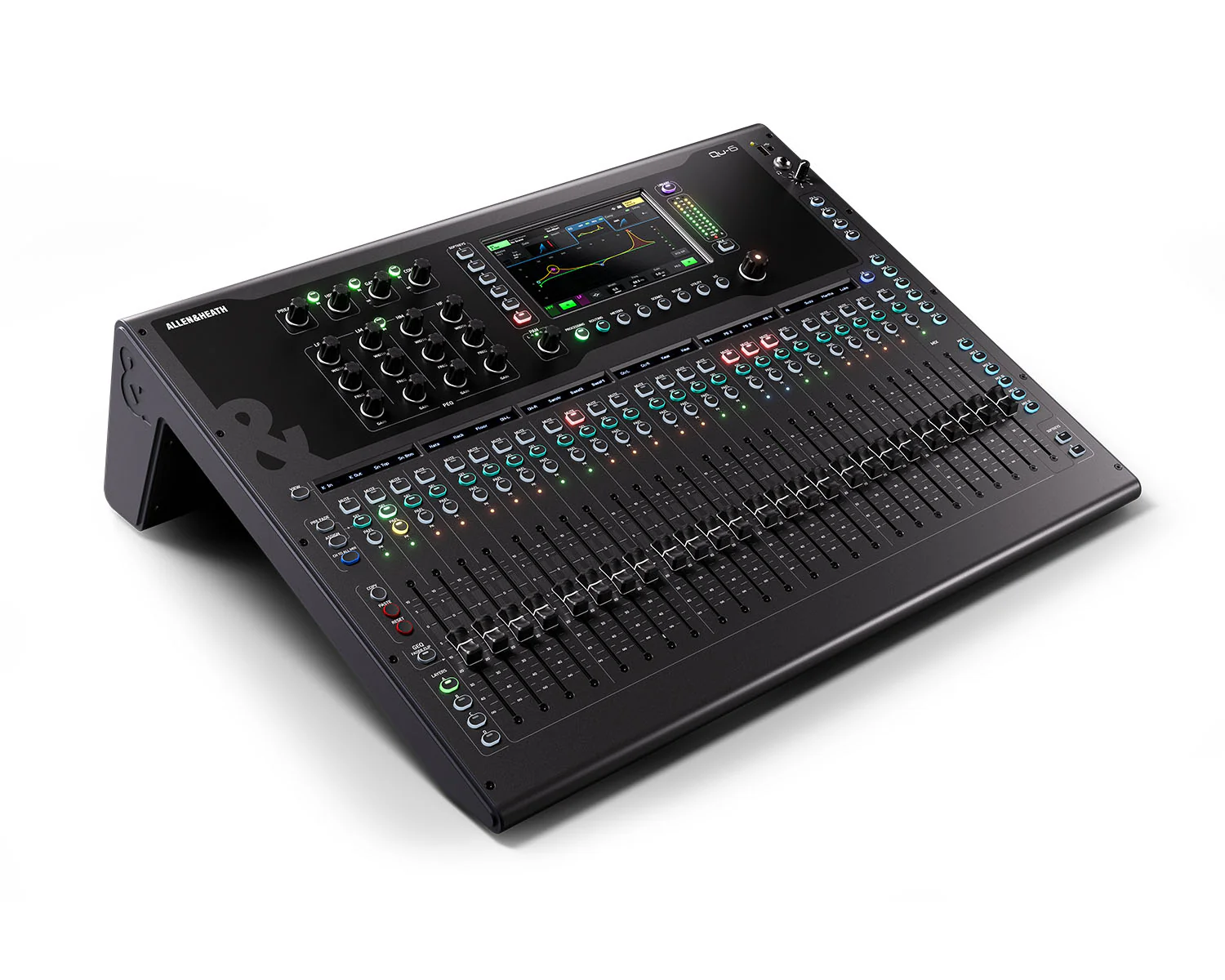
The current Qu-5, Qu-6 and Qu-7 record 32 tracks to an SD card at 48kHz, or 16 at 96kHz. A USB-C port is a 32 x 32 audio interface for a computer, and a separate USB-A port handles simple stereo record and playback. The Qu-5D, Qu-6D and Qu-7D add a 16 x 16 Dante interface at 96 or 48kHz, which Allen & Heath position for integrating the desk into larger systems.
Qu-SB and Qu-Pac
The Qu-SB and Qu-Pac use Qu-Drive: 18 channels of 48kHz, 24-bit recording straight to a USB key or hard drive. That is the 16 mono channels plus a selectable stereo pair. Qu-Drive can also make a plain stereo recording from any pair of mix outputs, the main LR (pre, post or summed to mono) or the PAFL bus. For more tracks, the USB interface carries 32 x 32 to a computer, and Allen & Heath note it is class compliant on a Mac with drivers available for Windows.
Allen & Heath recommend SD storage in a USB adaptor for Qu-Drive rather than a generic USB stick, because stick hardware changes without notice. Details below.
Allen & Heath SQ+: SQ-Drive, USB-B and the I/O port
The SQ-5+, SQ-6+ and SQ-7+ have three recording routes:
- SQ-Drive: 32 channels at 48kHz, 16 at 96kHz, or a stereo mix, direct to a USB drive with no laptop.
- USB-B: a 32 x 32 interface at both 96kHz and 48kHz. Allen & Heath describe it as class compliant, with ASIO and WDM drivers available, and list multitrack recording, backing tracks, livestreaming and virtual soundcheck as its uses.
- I/O port: the SQ Dante 64 x 64 and SQ Dante 32 x 32 cards both list multichannel recording and playback using Dante Virtual Soundcard (available separately). The SQ Waves card gives 64 x 64 to a Waves SoundGrid network and Allen & Heath list multitrack recording at 96 or 48kHz and virtual soundcheck among its uses.
For most SQ owners, SQ-Drive for the show plus USB-B for studio work is enough. The card route matters when the desk is already on a Dante or Waves network, or you want to record over the network instead of USB.
Avantis and dLive: record through an option card
Neither Avantis nor dLive has a built-in multitrack recorder. Avantis has internal storage for stereo record and playback plus USB stereo playback, and its two I/O ports, each capable of 128 x 128 at 96kHz, take the dLive range of option cards. Allen & Heath name multitrack recording as one of the jobs those ports are for. On dLive the ports are on both the MixRack and the surface.
- Dante 64 x 64 card (M-DL-DANT64): 64 bidirectional channels at 96 or 48kHz. Allen & Heath describe it handling a FOH/monitor split while also recording multitrack through Dante Virtual Soundcard.
- Dante 128 x 128 card (M-DL-DANT128): the same idea with 128 network channels. On both Dante cards, Allen & Heath list Dante Virtual Soundcard recording and playback at 64 channels at 48kHz or 32 at 96kHz, so for more tracks than that the Waves V3 card is the larger recording route.
- Waves V3 card (M-DL-WAVES3): records up to 128 tracks of 96kHz audio into a computer over a single Ethernet cable, and runs Waves plugins on a computer or a dedicated Waves server.
Which card suits which system, and what else fits the ports, is in our option cards guide and dLive and Avantis I/O expansion guide. A dLive DM48 MixRack has three I/O ports and a CDM48 MixRack has one, so plan where the recording card goes before you fill them.
SD cards and USB drives: what Allen & Heath recommend
Multitrack recording does not need a fast card. It needs a card that keeps up for hours. Allen & Heath put it this way for Qu-Drive and SQ-Drive: the bandwidth needed is only around 5MB/s, but it must be available consistently, not just in short bursts.
| Mixer | What Allen & Heath recommend | Notes |
|---|---|---|
| CQ (SD slot) | SDHC, Class 10, UHS-I / U1 | FAT32, formatted in the CQ. SDHC tops out at 32GB. Micro SD in an adaptor is fine to the same spec. Allen & Heath warn that a U3 card in the CQ’s U1 slot can run slower than a U1 card and cause write errors. |
| Qu-Drive and SQ-Drive (USB) | At least Class 10 with UHS speed class 1, in an SD-to-USB adaptor | Format on a computer if the desk cannot see it, then format again in the mixer. Allen & Heath found micro SD to SD adaptors can slow things down. |
| Qu-5/6/7 (SD slot) | SDHC, Class 10, UHS-I / U1 | The same advice as CQ: FAT32, formatted in the Qu, SDHC up to 32GB, micro SD in an adaptor to the same spec. |
Recording length is limited by the FAT32 file system. Allen & Heath give roughly 8 hours of multitrack at 48kHz on Qu-Drive or SQ-Drive, or 4 hours at 96kHz on SQ, using about 72GB. On the Qu-5/6/7 SD card the same 4GB-per-file limit works out at about 8 hours at 48kHz or 4 hours at 96kHz.
Test the card before the gig
Allen & Heath’s own test: send the signal generator to the channels you will record, arm them all and record for as long as your longest show. On SQ-Drive, the USB Record Load meter shows how hard the card is working; if it peaks, data is lost and an error is counted. Allen & Heath’s benchmark is that a suitable card and adaptor should show no errors after recording for the maximum time.
Virtual soundcheck
Allen & Heath define a virtual soundcheck as using a previous recording of the band or artist you are about to mix, so you can soundcheck for each venue’s acoustics and set-up without the band on stage, adjusting levels and parameters ready for the show.
It works because each channel’s input can be switched from the stage to the recorder. The recording replays through the same gain-matched channels, EQ, dynamics and effects, and you mix it as if the band were playing.
How it is done on each desk
- CQ: set the sample rate to match the recording, select multitrack, then in the inputs setup switch the relevant channels’ input source to USB/SD and play the recording from the multitrack screen.
- SQ+ with a computer: in the SQ’s I/O page, assign the input channels to USB B, and set your DAW to send each track to its own output instead of its master bus. Allen & Heath say any DAW supporting ASIO or Core Audio will do.
- SQ+ without a computer: SQ-Drive plays multitrack back as well as recording it.
- Larger systems: Dante and Waves cards carry playback back into the desk, and Allen & Heath list Virtual Soundcheck among dLive’s features.
As general practice, record the channels from a point before the channel processing for a virtual soundcheck, otherwise the replay goes through the EQ and compression twice. Allen & Heath give you the choice: on a CQ the USB/SD source point sets whether the recording includes no, some or all channel processing, and on the new Qu the input direct output source decides whether channel processing is recorded.
You can also play back tracks that were not recorded on the desk, for example multitracks from a previous venue. Allen & Heath publish the exact rules: mono WAV files with no metadata, all the same length, at 48 or 96kHz, named and foldered as the desk would name them. The simplest way to get the structure right is to make a short recording on the desk and copy its layout.
Standalone recorders and older desks
A dedicated recorder on a spare desk output is the simplest way to capture a finished stereo mix, and a sensible backup to a multitrack.
- The Tascam SS-R250N is a 1U two-channel recorder for racks and installs. It records WAV or MP3 at up to 96kHz/24-bit to SD/SDHC/SDXC cards up to 128GB or a USB flash drive up to 64GB. Its two SD slots can record the same audio to both cards at once or relay onto the second card when the first fills, and it has XLR, RCA, AES/EBU and S/PDIF inputs. It can upload finished recordings to an FTP server.
- The Tascam DR-05XP is a handheld stereo recorder with 32-bit float recording, a stereo mini-jack input for line sources and a 2-in/2-out USB-C interface. Placed in the room, it also captures a recording of the room sound to blend with a desk mix.
On an analogue mixer, multitrack recording needs one interface input per channel, fed from the desk’s direct outputs or insert sends. The Tascam US-16×08 has 16 inputs, eight with mic preamps and eight line inputs. If multitrack recording is a regular need, this is one of the stronger arguments in analogue vs digital mixers.
Show-day recording checklist
- Format the card or drive in the mixer, not just on a computer, so the file system and folders are right.
- Choose the sample rate before the show. 96kHz limits on-board recording to 16 tracks on the CQ-18T, CQ-20B, Qu-5/6/7 and SQ-Drive.
- Arm every channel you need, plus the main mix if the desk allows, so there is a reference stereo track.
- Check the recording source point. General practice is pre-processing for a virtual soundcheck, post-processing if you want tracks that already carry your channel EQ and dynamics.
- Make a short test recording and play it back before doors.
- Watch the record load or buffer meter during the show.
- Let the desk finish writing after you press stop before removing the card or drive.
- Copy the files off the same night and keep the original folder intact if you plan to play it back on the desk.
Popular picks from the shop
Allen & Heath SQ-5+ 48 Channel Digital MixerView product → Allen & Heath CQ-18T Compact Digital MixerView product → Allen & Heath CQ-12T Compact Digital MixerView product → Allen & Heath Qu-6 Digital MixerView product → Allen & Heath SQ Dante 64×64 Card (V3)View product → Tascam DR-05XP 32-Bit Float Stereo RecorderView product → Tascam SS-R250N Networkable SD/USB RecorderView product → Allen & Heath Waves V3 Card for dLive/AvantisView product →
Frequently asked questions
Can I multitrack record a gig without a laptop?
Yes, on CQ (SD card), the new Qu (SD card), Qu-SB and Qu-Pac (Qu-Drive to a USB key or drive) and SQ+ (SQ-Drive to a USB drive). The desk writes one file per channel. Avantis and dLive record multitrack through an option card into a computer.
How many tracks can an Allen & Heath SQ record?
SQ-Drive records 32 tracks at 48kHz or 16 at 96kHz to a USB drive. The USB-B interface carries 32 x 32 to a computer at 48 or 96kHz. A Dante or Waves card in the I/O port adds network recording to a computer.
What SD card do I need for an Allen & Heath CQ?
Allen & Heath recommend SDHC, Class 10, UHS-I / U1, formatted to FAT32 in the CQ. SDHC cards go up to 32GB. Allen & Heath warn that a faster U3 card can actually run slower in the CQ’s U1 slot and cause errors.
What is a virtual soundcheck?
Replaying a multitrack recording of the band through the same mixer channels so you can set up the mix for a venue without the band on stage. General practice is to record the channels before their processing, then switch the channel inputs from the stage to the recorder.
Should I record at 48kHz or 96kHz?
On the CQ-18T, CQ-20B, Qu-5/6/7 and SQ-Drive, 96kHz limits on-board recording to 16 tracks, and Allen & Heath’s figures show it roughly halves the recording time. The CQ-12T records 16 at either rate, and Qu-Drive on Qu-SB and Qu-Pac is 48kHz only. 48kHz gives the full track count and, as general practice, is the usual rate for video work. Choose 96kHz only if 16 tracks is enough.
Can I play my own backing tracks from the desk’s card or drive?
Yes, on CQ and SQ, if the files match what the desk expects: mono WAV with no metadata, all the same length, at 48 or 96kHz, in the desk’s folder and file-name layout. Allen & Heath publish the rules for both.
Shop this guide
Digital mixers with built-in multitrack recording, the option cards that add Dante and Waves, and standalone recorders. Tell us what you want to record and we will check the desk and card will do it.
Digital Mixing Desks Compact Digital Mixers Mixer Option Cards Audio Interfaces & Recorders Stage Boxes & Dante I/O dLive MixRacks



