

Home » Guides » Wireless Mics & In-Ear Monitoring »
In-Ear Monitor Systems: The Complete UK Buying Guide
Everything a band, worship team or venue needs to move off wedges: how IEM systems work, what the UK licensing rules actually say, which earphones matter, and how to build your first mix without the classic mistakes.
~12 min read · Updated July 2026 · By the Stage Supply team
In this guide: IEMs vs wedges · System anatomy · UK licensing · Wired alternative · Earphones · Your first IEM mix · Antenna practice · Common mistakes · FAQ
Every week we speak to bands and church tech teams making the same move: off floor wedges, onto in-ear monitor systems. The payoff is real (quieter stages, no feedback, a mix that sounds the same in every venue) but the buying decisions are not obvious. Wireless or wired? How many mixes does your desk actually have? Do IEMs need an Ofcom licence? (Short answer: sometimes, and the rules are identical to radio mics.) This guide covers the lot.
IEMs vs Wedges: Why Bands Are Making the Switch
A floor wedge is a loudspeaker pointed at a microphone. That is the whole problem. Every dB of monitor level you add eats into your gain-before-feedback, spills into every open mic on stage, and muddies the front-of-house mix, especially in small venues and churches where the “PA” and the “stage sound” occupy the same room.
In-ear monitors break that loop. The mix goes straight into a sealed earphone, so there is no acoustic path back to the microphones. The practical wins:
- No monitor feedback. The single biggest source of on-stage feedback disappears entirely.
- Lower stage volume. Vocal mics pick up vocals, not a wall of wedge spill. FOH gets a cleaner mix with less effort.
- Consistent mix everywhere. Your monitor mix sounds identical in a 100-cap club and a 2,000-seat hall. Soundchecks get faster.
- Hearing protection. Sealed earphones attenuate the stage acoustically while you monitor at a controlled, lower level.
- Freedom of movement. Wireless packs mean the mix follows the performer, not a fixed sweet spot in front of a wedge.
- Less to haul and rig. A rack of half-width transmitters replaces a van corner full of wedges and their amp channels.
The hearing angle is not optional
If you employ or engage people (venue staff, engineers, regular musicians) the Control of Noise at Work Regulations 2005 apply, and they have applied fully to the music and entertainment sector since April 2008. The lower exposure action value is 80 dB(A) daily exposure, at which you must assess the risk and make hearing protection available. At the upper action value of 85 dB(A) you must actively reduce exposure, and the absolute exposure limit is 87 dB(A) at the ear. A typical wedge-heavy stage sails past these numbers. IEMs are one of the few control measures that make the stage quieter and sound better, which is why the HSE’s own sound advice for the sector points at in-ear monitoring as good practice.
Head to head
| Factor | Floor wedges | In-ear monitors |
|---|---|---|
| Feedback risk | High, open speaker facing open mics | Effectively zero from monitoring |
| Stage volume | Adds 6 to 10 dB+ of spill into every mic | Silent: stage level is just backline and drums |
| Mix consistency | Changes with every room and wedge position | Identical in every venue |
| Hearing exposure | Loud by design; volume wars escalate all night | Sealed isolation plus user-controlled level |
| Licensing | None | Wireless systems follow radio mic rules (Ch70 free, Ch38 licensed) |
| Cost per musician | Wedge + amp channel or powered wedge | Transmitter + pack + earphones (wired personal mixing is cheaper) |
| Ambience and audience connection | Natural. Your ears are open | Isolated; needs ambience mics or you feel disconnected |
| Weight in the van | Heavy, bulky | A 2U rack and a bag of packs |
Wedges are not dead, drummers and bassists often keep one as low-end reinforcement, and plenty of pub-circuit acts run a hybrid stage. If you are staying on floor monitors for now, buy proper biamped or DSP-corrected boxes from the stage monitors range rather than pointing spare tops at your face.
Anatomy of a Wireless IEM System
A wireless in-ear rig has three parts, and you can mix and match brands only at the earphone stage: transmitter and pack must be the same system and frequency band.
1. The transmitter
A half-rack unit that takes a balanced line feed from the mixing desk (one XLR/jack for mono, two for stereo) and broadcasts it on a UHF carrier. One transmitter = one mix. Multiple musicians can share a transmitter by tuning their packs to the same frequency, cheap, but everyone hears the same thing (see common mistakes).
2. The bodypack receiver
A belt-worn pack with a headphone amp, volume control and usually a limiter. Stereo-capable packs typically offer a mono/stereo switch and, on many systems, a “mix mode” or “focus” control that lets two mono mixes on one stereo transmitter be balanced against each other at the pack, a genuinely useful trick for stretching a small system across a band.
3. The earphones
The bit that actually touches your hearing, and the bit most people cheap out on. Covered in full below.
Mono vs stereo, and how many mix buses you need
Stereo in-ears are dramatically less fatiguing than mono. With everything panned to the centre of your head, instruments fight for the same space and the temptation is to keep turning up. Pan the keys slightly left, the guitar slightly right, keep your own voice centred, and the mix opens up at a lower overall level. If budget forces mono, it works, but plan buses accordingly.
The desk becomes the real constraint here. Each independent mix needs a bus (aux/mix output) on your console: a stereo mix needs a stereo bus or a linked pair. A five-piece band on individual stereo mixes needs ten bus channels of sends before you have fed a single effects unit. Analogue desks run out fast; a modern digital console is close to mandatory for serious IEM use, both for bus count and because each musician’s mix wants its own EQ and limiting. If you are desk shopping at the same time, browse digital mixing systems and read our Allen & Heath Qu vs SQ vs Avantis comparison – mix bus count and per-bus processing are exactly where those ranges separate.
Count your buses before you buy
Work out mixes first, then transmitters, then check the desk. A worship team of eight on four stereo mixes needs eight bus channels plus whatever FOH already uses. Discovering mid-install that the desk only has six auxes is the most common way IEM projects stall.
UK Licensing: Yes, IEMs Are Transmitters Too
A wireless IEM transmitter is a radio transmitter under the Wireless Telegraphy Act, and Ofcom treats wireless microphones and in-ear monitors under exactly the same PMSE (Programme Making and Special Events) framework. The same band choice you made for your radio mics applies here, and your IEMs count towards the same spectrum you are already using.
Ofcom rules at a glance (verified July 2026)
Channel 70 (863 to 865 MHz), licence exempt. Free to use anywhere in the UK for mics and IEMs alike, but it is only 2 MHz wide and shared with everyone else’s licence-exempt kit. Realistically 3 to 4 systems can coexist, and that count includes your radio mics AND your IEM transmitters combined.
Channel 38 (606 to 614 MHz), shared licence required. A UK Wireless Microphone Licence costs £75 for one year or £135 for two, bought direct from Ofcom’s licensing portal, and covers your IEM transmitters as well as your mics anywhere in the UK. Around 10 simultaneous channels are workable. Shared and non-protected: coordination with other users on site is down to you.
Coordinated licences. For fixed venues, tours and larger channel counts, Ofcom PMSE can licence specific frequencies at a specific site, which gives the best protection from interference. Full detail, band by band, in our Ch38 UK wireless licensing guide.
Coordinating mics and IEMs together
Running IEMs alongside radio mics is where frequency planning starts to matter. Two rules cover most of it:
- Keep IEM and mic frequencies separated, not interleaved. Group IEM transmitters at one end of your band and mic channels at the other. IEM transmitters run continuously at relatively high level and will desense nearby mic receivers if scattered among them.
- Use the manufacturer’s preset groups or scan function rather than picking frequencies by eye. Presets within a group are calculated to be intermodulation-free; hand-picked frequencies that look evenly spaced often are not.
- Budget spectrum for both. Four mics plus four IEM channels is eight PMSE channels, already at the limit of a single Ch38 licence-holder’s comfortable count and far beyond Ch70.
- Check what the venue already runs. Shared licences do not protect you from another Ch38 user in the same building. Scan before you transmit.
The Wired Alternative: Personal Mixers and Headphone Amps
Here is the question most churches should hear before spending on wireless: does anyone on your platform actually move? A drummer, keyboard player, bassist and music director all sit or stand in the same spot every week. For them, wireless is an expensive way to avoid a cable they would never trip over.
The wired route comes in two flavours:
Headphone amplifiers. The simplest option: a multi-channel headphone amp fed from the desk’s aux outputs gives each position a volume knob and a socket. Cheap, reliable, zero licensing, zero batteries. The limitation is that the mix itself is still built at the desk.
Personal monitor mixers. One small mixer per musician, daisy-chained over Cat5 from the console’s digital output or a dedicated distributor. Each player balances their own 16 to 40 channels at their position, “more me” without ever asking the sound desk. For a fixed-install worship platform this is usually the best value per seat of any monitoring approach, and it takes the entire monitor-mixing workload off a volunteer engineer. Most ecosystems tie to a console family or expander card, so choose it alongside the desk, not after. Browse the wider monitoring category for both flavours.
You still buy proper isolating earphones either way. The pack or mixer is just the delivery mechanism. And hybrid systems are common: wired personal mixers for the rhythm section, one or two wireless channels for the vocalists who roam.
Choose wireless IEM if
- Performers move around the stage (vocalists, front line)
- You gig different venues and want one consistent rig
- You can budget for licensing (Ch38) or live within Ch70’s 3-4 channel limit
- Your desk has the spare buses for individual mixes
Choose wired personal mixing if
- It is a fixed install, church platform, house band, studio
- Musicians stay at their positions
- You want each player controlling their own mix, not a volunteer engineer
- You want zero licensing, zero batteries, zero RF planning
Stay on wedges (for now) if
- Your desk cannot spare the mix buses and a desk upgrade is not on the cards
- The budget only stretches to consumer earbuds: a decent wedge beats bad in-ears
- The act genuinely feeds off open-ear stage energy and sets are short
- You mostly play venues that provide monitors and an engineer anyway
Earphones: Universal vs Custom, Drivers and Isolation
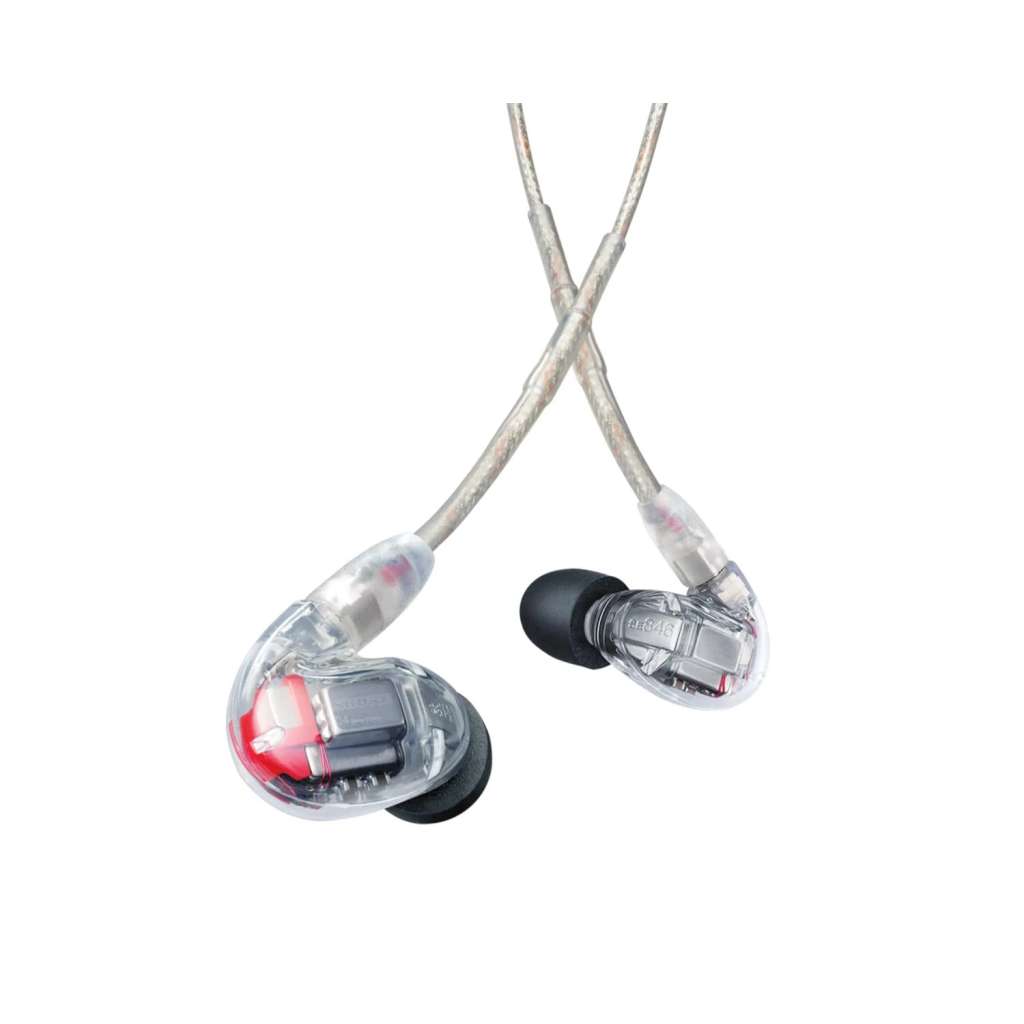
Most system bundles include a serviceable pair of universal earphones, and most users upgrade them within a year. Here is what actually matters when they do.
Isolation beats driver count, especially for beginners
Marketing pushes driver counts: two, four, eight drivers per side. But the spec that changes how you monitor is isolation – how much outside sound the earphone blocks, quoted in dB. Well-sealed universal tips (especially foam) and custom-moulded shells from reputable manufacturers typically attenuate the stage by around 25 dB or more; a loose-fitting tip might manage a fraction of that.
Why it matters more than drivers: with poor isolation, the drum kit and backline leak straight past the earphone, so you turn the pack up to compete, and you are back to damaging levels, now delivered millimetres from your eardrum. With good isolation the stage drops away and a modest, safe monitor level sounds full and detailed. A well-sealed single-driver earphone will always beat a poorly-sealed four-driver one on stage. Seal first, drivers later.
Universal vs custom
| Factor | Universal fit | Custom moulded |
|---|---|---|
| Cost | From well under £100 to flagship money | Higher, plus audiologist ear impressions |
| Isolation | Very good with foam tips and a proper seal | Consistently excellent: the shell is your ear |
| Comfort over a 2-hour set | Tip-dependent; can work loose with jaw movement | Best in class once the fit is right |
| Sharing / resale | New tips, new user; easy to resell | Fits one person, forever |
| Best for | First systems, teams, shared stock, spares | Professionals and anyone on in-ears weekly |
Sensible progression: start with good universals with foam tips, learn what you want more of, then go custom once in-ears are part of every show. Whatever you buy, it must be a monitoring earphone with a straight, uncoloured response, see the range within our IEM category. Consumer earbuds are dealt with in the mistakes section, because that is what they are.
Setting Up Your First IEM Mix
The first rehearsal on in-ears is famously disorienting: silence where the room used to be, your own voice sounding strange, no audience. Almost all of it is fixed by building the mix in the right order.
- Set up the buses: Create one mix bus per independent mix (stereo pairs where the system supports it) and switch the sends to pre-fader, so FOH fader moves never change what performers hear. Patch each bus to its transmitter input and set sensible gain structure: transmitter input meters healthy, pack volume as the last control in the chain.
- Start from a rough band mix, then add “more me”: Copy a balanced starting mix to every bus, then raise each musician’s own voice or instrument a few dB above the band in their own mix only. Singers pitch from themselves; players lock timing from the rhythm section. Resist soloing individual channels up from silence, that path leads to a mix of one instrument and panic.
- Add ambience mics: A pair of mics on the stage lip or above the stage pointed at the room, mixed low into every ear mix, restores the audience and the sense of space that isolation removes. This is the single biggest fix for “in-ears feel dead”. Ride them up between songs so performers hear applause and can talk to the crowd naturally.
- Pan, limit, and set a safe level: Use stereo width to separate sources instead of volume. Confirm the pack limiter is engaged on every unit. Set a comfortable level in rehearsal and leave it, if something needs to be louder mid-set, something else should come down. Both ears in, always: one ear out defeats the isolation and pushes the worn ear louder.
- Save the show file: On a digital desk, store the whole setup as a scene or show file. Next gig or next Sunday, you recall it and soundcheck becomes minutes of trim rather than an hour of rebuilding: this repeatability is half the reason to move to in-ears in the first place.
Antenna Practice: Combiners and Placement
One or two IEM transmitters with their supplied rear-panel antennas will behave fine. Beyond that, RF discipline starts paying for itself.
Use an antenna combiner from three or four transmitters upward. A combiner merges several transmitter outputs into a single shared antenna. This does two things: it removes the forest of quarter-wave whips radiating into each other at the back of the rack (a prime source of intermodulation products that land on your mic frequencies), and it lets you place one good antenna somewhere useful. Most combiners also power and rack tidily with the transmitters they feed.
Placement rules that solve most dropouts:
- Line of sight from antenna to performers: RF at these frequencies does not enjoy going through bodies, walls or metal racks.
- Get the antenna up: head height or above, on a stand at the side of stage, not buried in the rack.
- Keep IEM transmit antennas well away from mic receiver antennas, separate sides of the stage if you can manage it.
- Use proper 50 ohm low-loss coax for antenna runs, kept as short as practical: cheap long runs throw away transmitter power.
- A directional (paddle) antenna aimed at the performance area both extends range and rejects RF arriving from elsewhere.
- Never bend, coil or remove a transmitter antenna to tidy the rack, into a combiner or out in the open, nothing in between.
Combiners, paddle antennas, coax and distribution hardware all live in our antennas and distribution category – and if you run wireless mics too, the same tidy-up applies on the receive side with an antenna distributor.
The Classic Mistakes
One mix shared by the whole band
Tempting, because it needs one transmitter and one bus. In practice the vocalist wants voice on top, the drummer wants kick and bass, and the compromise mix serves nobody, so everyone turns up their pack until it is loud and still wrong. Budget for individual mixes for the people who need them most (vocalists first), use pack “mix mode” tricks to stretch stereo transmitters into two balanced mono feeds, and share mixes only between musicians with genuinely similar needs.
Transmitter antennas stacked together in the rack
Four transmitters racked with four whips a few centimetres apart transmit into each other, generating intermodulation products that appear as noise, swooshes and dropouts, often on your radio mic channels rather than the IEMs themselves, which makes it maddening to diagnose. From three or four channels, combine into one remote antenna. It is the single most transformative upgrade for a misbehaving multi-channel rig.
Buying consumer earbuds for stage monitoring
Chart earbuds and true-wireless buds are engineered for podcasts on a train: bass-boosted tuning, minimal isolation, and in the wireless case, latency that makes live monitoring impossible. On stage, poor isolation forces dangerous listening levels and an open or leaky fit spills click and mix into nearby vocal mics. Proper monitoring earphones with a sealed fit are not a luxury add-on; they are the component doing the actual monitoring.
Forgetting IEMs count against your spectrum
A band already running three licence-exempt Ch70 radio mics has essentially no room left in the band for IEM transmitters. Adding in-ears is often the moment to take out the £75 Ch38 licence and move everything across with proper frequency coordination, see the licensing guide for the step-by-step.
Popular picks from the shop
FAQ
Do in-ear monitors need a licence in the UK?
Wireless ones follow exactly the same Ofcom rules as radio mics. Systems in Channel 70 (863 to 865 MHz) are licence exempt. Systems in Channel 38 (606 to 614 MHz) need the UK Wireless Microphone Licence at £75 per year (£135 for two years), which covers mics and IEMs together anywhere in the UK. Other bands need coordinated licences from Ofcom PMSE. Wired personal mixing systems need no licence at all.
How many mixes and buses do I actually need?
One bus per mono mix, two per stereo mix, all set pre-fader. As a floor: vocalists get their own mixes first, rhythm section can often share initially. A five-piece on five stereo mixes needs ten buses, which is digital console territory, check bus counts before committing to a desk.
What is the best IEM setup for a church in the UK?
For most churches, wired personal monitor mixers for the static platform positions (drums, keys, bass, MD), plus one or two wireless IEM channels for the worship leader and roaming vocalists. It is the cheapest per position, removes monitor mixing from the volunteer sound desk entirely, and keeps the wireless channel count, and therefore licensing and RF coordination, minimal.
Are in-ears really safer for hearing than wedges?
Used properly, yes: the sealed earphone attenuates the stage by roughly 25 dB with a good fit, so you monitor at a controlled, lower level, and the pack limiter guards against spikes. Used badly (poor seal, one ear out, volume cranked to fight leakage) they can be worse than wedges, because the driver sits in your ear canal. Isolation, both ears in, and a disciplined level are what make them protective. Employers should remember the noise regulations action values of 80 and 85 dB(A) apply to the entertainment sector.
Do more drivers mean better in-ears?
Not by themselves. Driver count expands headroom and frequency separation at the top end of the market, but fit and isolation determine whether you can hear any of it at a safe level. A sealed single or dual driver outperforms a leaking multi-driver on stage every time. Upgrade the seal first, the driver count later.
Why do my in-ears feel isolating and lifeless?
Because good isolation removes the room along with the noise. The fix is ambience: a pair of audience or stage-lip mics blended low into every mix, ridden up between songs. Stereo mixes rather than mono also restore a sense of space. Both together are usually the difference between musicians tolerating in-ears and preferring them.
Can I mix wireless IEMs with wired personal mixers?
Yes, and it is often the smartest budget split: wired mixers for fixed positions, wireless packs for mobile performers. Both hang off the same console, and the wired positions do not consume spectrum, buses for the wireless mixes stay available, and the licence only has to cover the channels that genuinely need to be wireless.
Shop this guide
UK stock and fast delivery on complete IEM systems, personal mixing, RF distribution and the desks to drive them.
In-Ear Monitor Systems Monitoring Antennas & Distribution Digital Mixing Systems



