

HDMI Over Cat Cable: HDBaseT Extenders, Splitters and Matrices for Pubs, Bars and Venues
How far HDMI really goes over Cat5e, Cat6 and Cat6A with HDBaseT, which CYP extender, splitter or matrix fits a pub, function room or signage job, what cable the HDBaseT Alliance recommends, and what to check when the picture drops out.
~12 min read · Updated October 2026 · By the Stage Supply team
In this guide: The short answer · What HDBaseT is · 4K, 3G and 6G · Extender kits · One source, many screens · Matrices · Power over the cable · Cable · Venue set-ups · Dropouts and no picture · Popular picks · FAQ
The short answer
HDMI leads are short-range. To get a picture 20, 50 or 100 metres to a TV, projector or screen, use an HDBaseT transmitter at the source and a receiver at the display, joined by one run of Cat cable. The distance you get depends on three things: which HDBaseT product it is, the video format (1080p, 4K30 or full 4K60 4:4:4) and the cable category.
- Up to about 35 to 40m, 4K: a CYP HDBaseT Lite kit such as the PU-101PL-KIT or PUV-1210PL-KIT is usually enough.
- Up to 100m: a full HDBaseT kit such as the PUV-1510-KIT, or the PUV-1810-AVLC-KIT if the source sends full-bandwidth 4K60 or HDR.
- One Sky box to several TVs: an HDBaseT splitter such as the PU-1H3HBTE with a receiver per screen.
- Several sources to several TVs: a matrix. The OR-44-4K22 has HDMI outputs only; the PUV-44XPL-AVLC-KIT has HDBaseT outputs and comes with four receivers.
- Cable: the HDBaseT Alliance names Cat5e as the minimum for HDBaseT 1.0 and 2.0, recommends Cat6 for them, and recommends Cat6A U/FTP for HDBaseT 3.0 and for any new cable you pull.
Choose by the longest run and the most demanding format you need, then check that the model is rated for it on the cable you have.
What HDBaseT is
HDBaseT is a standard from the HDBaseT Alliance for sending audio and video over ordinary category (Cat) cable. The Alliance describes it as long-range distribution of up to 100m (328ft). Its “5Play” feature set carries uncompressed video and audio, Ethernet, control signals, power and, from version 2.0, USB 2.0, all on one cable.
CYP explains it in plain terms: the transmitter converts HDMI into a more robust signal, sends it down the Cat cable, and a matching receiver turns it back into HDMI. The versions you will see on spec sheets:
- HDBaseT 1.0: the Alliance quotes 1080p to 100m over Cat5e and up, and 4K to 70m over Cat5e and up (100m on select Cat6A), with 100 Mbps Ethernet and up to 100 watts of power.
- HDBaseT 2.0: extends 4K30 4:4:4 and 4K60 4:2:0 to 100m over Cat6 (90m over Cat5e), and adds USB 2.0.
- HDBaseT 3.0: fully uncompressed 4K60 4:4:4 up to 100m, and Gigabit Ethernet.
- HDBaseT Lite: a shorter-reach form of HDBaseT. CYP’s Lite kits and splitters are rated to between 35 and 70m depending on model and format, against up to 100m for its full HDBaseT products.
These are what the standard can do. A given product is rated for less if its maker says so, and the product rating is the one to plan with. For example, CYP rates its HDBaseT 3.0 kit, the PUV-3050UA-KIT, at 40m over Cat6A/7.
4K, 3G and 6G: why the same box has two distances
CYP’s HDBaseT 1.0 products move up to 10.2 Gbps. That covers 1080p, 4K at 24/25/30Hz and 4K at 50/60Hz in 4:2:0 colour, which CYP calls “4K 3G” timings. Full 4K60 4:4:4 8-bit needs 18 Gbps, which CYP calls “4K 6G”.
CYP’s AVLC models (Adaptive Visually Lossless Compression) get 18 Gbps sources through a 10.2 Gbps HDBaseT link with light compression. That includes 4K60 4:4:4 and 10/12-bit HDR, Dolby Vision included. They are rated for shorter runs at 6G than at 3G. CYP’s HDBaseT 1.0 kits without AVLC list 4K60 in 4:2:0 only. The HDBaseT 3.0 PUV-3050UA-KIT carries 4K60 4:4:4 uncompressed.
What decides the distance is the format your source actually sends, so check the source’s output settings. If chroma subsampling and 4:4:4 versus 4:2:0 are new to you, our video signal basics guide explains them.
Point-to-point extender kits
A kit is one transmitter and one receiver: one source to one screen. These figures are the manufacturers’ own ratings.
| Kit | Type | 1080p | 4K | Receiver powered by | Also carries |
|---|---|---|---|---|---|
| CYP PU-101PL-KIT | HDBaseT Lite | 70m | 40m (4K60 4:2:0), Cat5e/6 | PoC from transmitter | 2-way IR, RS-232 |
| CYP PUV-1210PL-KIT | HDBaseT Lite | Up to 60m on Cat6a/7 | 35m Cat5e/6, 60m Cat6a/7 | PoH | 2-way IR, RS-232 |
| CYP PUV-1710L-AVLC-KIT | HDBaseT Lite + AVLC | 70m, Cat6a/7 | 70m 3G, 35m 6G (4K60 4:4:4, HDR) | PoH | 2-way IR, RS-232 |
| CYP PUV-1510-KIT | HDBaseT | 100m | 70m Cat5e/6, 100m Cat6a/7 | PoH | LAN, 2-way IR, RS-232 |
| CYP PUV-1810-AVLC-KIT | HDBaseT + AVLC | 100m, Cat6a/7 | 100m 3G, 70m 6G (4K60 4:4:4, HDR) | PoH | LAN, 2-way IR, RS-232 |
| CYP PUV-3050UA-KIT | HDBaseT 3.0 | 40m | 40m uncompressed 4K60 4:4:4, Cat6A/7 | PoH | USB 2.0, 2-way analogue audio, IR, RS-232, local HDMI out |
| Ecler VEO-XPT412 | HDBaseT 1.0 | 150m (Ecler rating) | 120m 4K60 (Ecler rating; 4:4:4 via colour space conversion), Cat5e or higher | PoH (either direction) | IR, RS-232, stereo audio out |
Some practical points from the spec sheets:
- CYP lists HDCP 2.2 compliance on all six of its kits above (Ecler also rates the VEO-XPT412 HDCP 2.2 compliant), and HDCP repeating and CEC on the PUV-1210PL and PUV-1510. HDCP matters because subscription TV boxes and Blu-ray players send protected content.
- The LAN port on the PUV-1510 and PUV-1810 receivers puts a network connection at the screen end, for a smart TV for example, without a second cable.
- The AVLC kits have an HQ/STD switch on the transmitter. CYP says STD mode lowers the bandwidth of 4K sources further, which improves reliability over longer runs at some cost to picture quality.
- The PUV-3050UA-KIT carries USB 2.0, so a keyboard, mouse or touch screen works at the far end. That suits a meeting room or lectern better than a bar.
One source, many screens: HDBaseT splitters
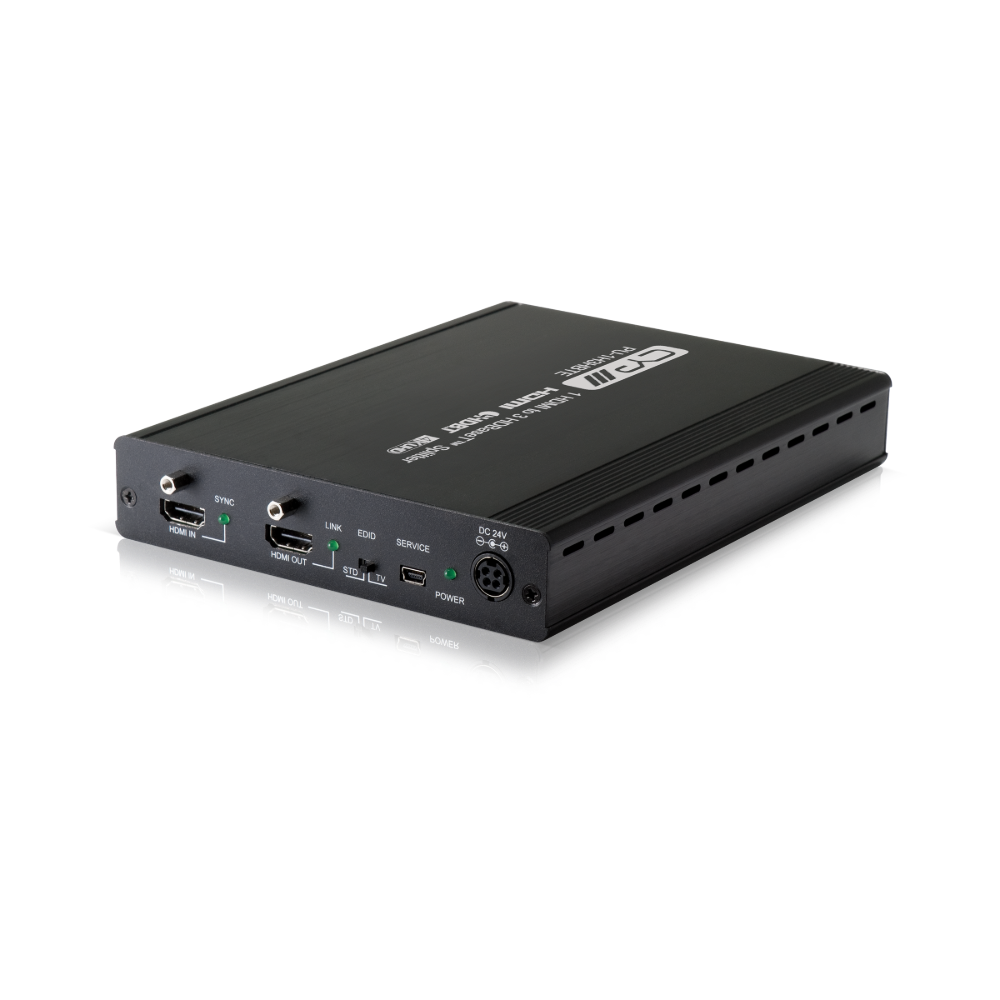
The classic pub job is one Sky box feeding several TVs around the bar. An HDBaseT splitter takes one HDMI input and sends it to several HDBaseT outputs. Each output feeds a receiver behind a screen, and a local HDMI bypass output feeds a TV next to the source.
| Splitter | Outputs | 1080p | 4K | Receiver to use | Notes |
|---|---|---|---|---|---|
| CYP PU-1H3HBTE | 3 HDBaseT + 1 HDMI | 100m Cat5e/6 | 70m Cat5e/6, 100m Cat6a/7 | PU-507RX | Receivers powered over the cable; LAN and IR shared to the receivers |
| CYP PU-1H3HBTPL | 3 HDBaseT Lite + 1 HDMI | 60m Cat5e/6 | 35m Cat5e/6, 40m Cat6a/7 | PU-515PL-RX | PoC powers the receivers; IR |
| CYP PU-1H7HBTPL | 7 HDBaseT Lite + 1 HDMI | 60m Cat5e/6 | 35m Cat5e/6, 40m Cat6a/7 | PU-515PL-RX | PoC powers the receivers; IR |
CYP says all three can be cascaded up to five times from the HDMI bypass output. For the PU-1H3HBTE it puts that at potentially 50 screens or more. All three handle up to 10.2 Gbps, so 4K60 is carried as 4:2:0.
If every screen is within an HDMI lead’s reach, a plain HDMI distribution amplifier is simpler. The QU-2-4K22 and QU-4-4K22 handle 4K60 with HDR; CYP rates the QU-4-4K22 for full 18 Gbps 4K60 4:4:4. Each output can scale 4K down to 1080p for an older TV, based on what that display reports. CYP rates each output of the 10-way QU-10-4K22 at 1080p 8-bit up to 20m, and it can be cascaded three layers deep.
Mixed old and new TVs on one splitter
The PU-1H3HBTE and PU-1H7HBTPL have an EDID STD/TV switch. In TV mode the PU-1H7HBTPL takes its format from the screen on output 1 if that screen is 4K-capable, and otherwise picks a format every screen can accept. STD uses a built-in EDID of 1080p60 with 2-channel LPCM audio. CYP’s advice is to switch to STD if a display has a problem.
Matrices: several sources, several screens
A matrix lets any input go to any output, for example two sports channels plus a music video channel routed to different areas. The first question is whether the outputs are HDMI or HDBaseT.
- CYP OR-44-4K22 is a 4×4 HDMI matrix: HDMI 2.0, HDCP 2.2, 4K60 4:4:4 with HDR. Its outputs are HDMI, so for screens beyond HDMI-lead distance you add an extender kit per output. Control is by front-panel buttons, IR, RS-232, Telnet or web browser.
- CYP PUV-44XPL-AVLC-KIT is a 4×4 with four HDBaseT Lite outputs, AVLC and four PUV-1710LRX-AVLC receivers in the box. CYP rates full-bandwidth 4K (4K 6G, including HDR) to 40m. Each zone has de-embedded analogue L/R audio outputs for a local amplifier. Two outputs can scale independently, so a 4K source can also feed a 1080p screen. It is 1U rack-mounted.
- CYP PUV-1082PL-4K22N is a 10×10 with eight HDBaseT Lite outputs and two HDMI outputs, plus a separate audio matrix of 10 inputs and 14 outputs. CYP rates 4K at 35m on Cat5e/6 and 40m on Cat6a/7. It converts 4K60 4:4:4 to 4:2:0 for the HDBaseT outputs automatically. Use the PUV-1210PL-RX receiver, or the PUV-1230PL-RX where you want optical audio sent back to the matrix (OAR).
- CYP PUV-1082-PRO is the full-distance 10×10: AVLC, 1080p and 4K 3G to 100m, 4K 6G to 70m, scaling on every output, and a 100BaseT network connection in each zone. Receivers are the PUV-1810RX-AVLC or the PUV-1830RX-AVLC (with OAR).
Matrices and receivers are designed as pairs. CYP names the receivers for each matrix, and you should buy the named ones.
Power over the cable: PoH and PoC
Most of these products power the far-end receiver down the same Cat cable, so there is no power supply behind the TV. CYP uses two terms:
- PoH (Power over HDBaseT): CYP’s PUV kits and matrices power their receivers this way, and the PUV-1710L-AVLC-KIT manual describes it as 48V PoH to IEEE 802.3at. The HDBaseT Alliance says PoH can deliver up to 100W, on copper cable only, not fibre.
- PoC (Power over Cable): used on the PU-101PL-KIT, the HDBaseT Lite splitters, and the PU-1H3HBTE with its PU-507RX receivers.
CYP’s manuals warn that this power is designed for its compatible receivers only. Receivers without it need their own supply, and receivers from other brands may not be compatible. The PU-1H3HBTE manual also warns never to plug a network (LAN) connection into an HDBaseT output, because doing so may trigger a power shutdown and may damage the device.
The Alliance points out that PoH warms the cable, and in a tight bundle the heat builds up most in the middle. With substandard cable that can affect data transmission or even damage the insulation. It runs a PoH Certified Cables Program with UL to test cable for this. The mains supply to the rack or source position is a separate matter: design, installation and testing of electrical systems is a job for a competent person.
Cable: what the manufacturers actually say
In its paper Optimizing Cabling for HDBaseT 3.0, the HDBaseT Alliance gives clear cable recommendations:
- Cat5e is the minimum for HDBaseT 1.0 and 2.0, at reduced distances compared with Cat6. It is not recommended for HDBaseT 3.0.
- Cat6 is recommended for HDBaseT 1.0 and 2.0, to get the most distance at all resolutions up to 4K60 4:2:0 or 4K30 4:4:4.
- Cat6A U/FTP is the recommended cable for HDBaseT 3.0, with Cat7 roughly equivalent when used with RJ45 connectors. For any new cable being pulled, the Alliance recommends Cat6A in line with current TIA standards.
- The Alliance’s distance figures include up to 5m of patch cable at each end.
CYP’s guidance is consistent with this. Its manuals call for certified Cat5e/6/7 cable, and the splitter and PU-507 manuals note the system was tested with Cat6 23AWG cable and results may vary with other cable. The AVLC kits and the PUV-1082-PRO manual “highly recommend” Cat6, Cat6a or Cat7. The PUV-3050UA-KIT calls for Cat6A or Cat7. CYP also recommends Premium High Speed HDMI cables for the HDMI leads at each end.
Shielded or unshielded?
According to the Alliance, HDBaseT 1.0 and 2.0 do not generally need shielded cable for a single run in a relatively noise-free environment, and work about equally well on UTP or FTP. Where two or more runs lie side by side, especially over the first 20m, where the signals are strongest, it suggests F/UTP as the simplest way to reduce crosstalk between cables (alien crosstalk). For HDBaseT 3.0 it recommends Cat6A U/FTP.
If you use shielded cable, how the shield is terminated matters, because of ground loops. The Alliance’s rules:
- Where the receiver is powered by PoH, terminate the shield at both ends with shielded connectors.
- Where a matrix feeds receivers that are not PoH-powered, terminate the shield at the matrix end only.
- For an extender pair without PoH, each end running from its own floating plug-in power supply, terminate the shield at one end only.
- Whatever the cable, keep the pair twists right up to the connector contacts.
For installed runs we stock drum cable such as Elumen8 TOUR S/FTP Cat6A, and short Cat6A patch leads such as the Elumen8 Tour 1m Cat6A for the rack and screen ends.
Common venue set-ups
Sky or TNT box to TVs around a pub
One source and up to three remote screens within 100m (1080p) or 70m (4K on Cat5e/6): a PU-1H3HBTE with a PU-507RX behind each TV, plus a fourth TV on the HDMI bypass. For more screens at shorter distances, use the 7-output PU-1H7HBTPL with PU-515PL-RX receivers. With two or more sources, use a matrix instead. The sound side of the job, such as zoning and commentary versus background music, is in our pub and bar AV guide.
Projector in a function room
A single long run from a lectern or rack to a ceiling projector is a point-to-point kit. The receiver at the projector end takes its power down the cable. Pick by length and format: the PUV-1510-KIT for up to 100m at 1080p, or the PUV-1810-AVLC-KIT if laptops will send 4K60 4:4:4. For meeting rooms see the conference room AV guide.
Digital signage
One media player showing the same content on several screens is a splitter job. Screens near the source can run from an HDMI distribution amplifier such as the QU-4-4K22. Screens further away need an HDBaseT splitter. For many screens or long distances, our AV over IP range is the other route.
Events and temporary runs
For a show rather than an install, read HDMI vs SDI for live events and video conversion: SDI, HDMI and fibre before committing to Cat.
Dropouts, sparkles and no picture: what to check
Two common complaints are “HDMI over Cat6 works at 1080p but not 4K” and “the picture drops out every few minutes”. This checklist sticks to what CYP and the HDBaseT Alliance publish:
- Check the run against the rating for the format. A kit rated 100m at 1080p may be rated 70m at 4K, and less again at 4K 6G. Measure the full cable length, patch leads included.
- Check the cable category against the recommendations in the cable section above. Cat5e gets less 4K distance than Cat6.
- Check terminations and the cable itself. The Alliance stresses keeping twists to the contacts, and says field testing with a cable analyser can approximate whether an existing run is suitable. On the PUV-3050UA-KIT the transmitter’s TEST button runs a link-quality check with a pass/fail LED.
- Check shield termination on shielded cable against the rules above. The Alliance warns that ground loops show up in unpredictable ways that are hard to diagnose.
- On AVLC kits, try STD mode. CYP says it improves reliability over longer runs with 4K sources.
- On splitters, try EDID STD. CYP’s advice when a display has a problem is to switch to the built-in 1080p EDID.
- Check the HDMI leads at each end. CYP’s manuals give maximum HDMI lead lengths that shrink at 4K. For example, the PUV-1082-PRO lists 3m for 4K60 HDMI input and output, against 10m at 1080p. A tester such as the CYP XA-3P can show whether an HDMI lead passes 18 Gbps.
- Check the pairing. Use the receiver the manufacturer names (see power over the cable, above).
For the wider causes of a picture dropping out, such as HDCP, EDID and format mismatches, see video signal basics.
Popular picks from the shop
CYP PU-1H3HBTE 1×3 HDBaseT Splitter, 100m, HDMI BypassView product → CYP PU-1H7HBTPL 1×7 HDBaseT Lite SplitterView product → CYP PU-101PL-KIT HDBaseT Lite Extender KitView product → CYP PUV-1510-KIT HDBaseT Extender Kit, 100m, LAN, PoHView product → CYP PUV-1810-AVLC-KIT 4K60 HDBaseT Extender KitView product → CYP PUV-44XPL-AVLC-KIT 4×4 HDBaseT Matrix with 4 ReceiversView product → CYP OR-44-4K22 4×4 HDMI Matrix SwitcherView product → CYP QU-4-4K22 1×4 HDMI Distribution AmplifierView product →
Frequently asked questions
How far can HDMI go over Cat6 with HDBaseT?
It depends on the product and format. The HDBaseT Alliance quotes up to 100m for the standard. CYP rates its full HDBaseT kits such as the PUV-1510-KIT at 100m for 1080p and 70m for 4K on Cat5e/6 (100m on Cat6a/7), and its HDBaseT Lite kits at 35 to 70m. Use the model’s own rating for your format.
Can I send one Sky box to several TVs over Cat6?
Yes, with an HDBaseT splitter and one receiver per TV. The CYP PU-1H3HBTE feeds three HDBaseT screens plus one on HDMI, and CYP says its splitters can be cascaded up to five times. For several sources to several screens you need a matrix.
Do I need Cat6A, or will Cat5e do?
Cat5e is the Alliance’s minimum for HDBaseT 1.0 and 2.0, at reduced distances. Cat6 is recommended for those versions, and Cat6A U/FTP for HDBaseT 3.0. If you are pulling new cable, the Alliance recommends Cat6A.
Should HDBaseT cable be shielded?
For a single HDBaseT 1.0 or 2.0 run in a quiet environment, the Alliance says it is not generally needed. For bundled runs it suggests F/UTP, and for HDBaseT 3.0 Cat6A U/FTP. If you use shielded cable, terminate the shield as the Alliance describes to avoid ground loops.
Why does my HDMI over Cat picture keep dropping out?
Common checks: is the run within the product’s rating for that format, is the cable the right category and properly terminated, is a shield causing a ground loop, are the HDMI leads too long for 4K, and is the receiver the one the manufacturer specifies? On CYP AVLC kits, STD mode improves reliability on long 4K runs.
Can I mix one brand’s transmitter with another brand’s receiver?
The Alliance aims for interoperability at the highest feature level both devices share, but CYP warns that its PoH and PoC power is for its compatible receivers and that receivers from other brands may not be compatible. Buy the receiver the manufacturer names.
Shop this guide
HDBaseT extenders, splitters, matrices and the cable to run them. Tell us your cable lengths, sources and screens and we will help match the kit.
HDMI & AV Extenders HDMI Switchers & Matrices Video Splitters AV over IP Ethernet Cables Cable Drums



