

Home » Guides » Wireless Mics & In-Ear Monitoring »
Hollyland Solidcom Wireless Intercom: C1 Pro vs H1 vs SE, and When You Need Wired
Every Hollyland Solidcom family we sell, side by side: headset-only C1 Pro and SE, the beltpack-based M1 Pro and H1, and the C1 Pro Roaming Hub. Frequency band, range, user counts, battery life and how each one ties into a wired partyline, plus when a wired system is still the better answer.
~11 min read · Updated October 2026 · By the Stage Supply team
In this guide: The short answer · Side-by-side · C1 Pro · C1 Pro Roaming Hub · SE and SE Pro · M1 Pro · H1 · Range claims in practice · When wired makes more sense · By use · Broadcast headsets · Popular picks · FAQ
The short answer
Hollyland makes two kinds of wireless intercom. Headset-only systems (C1 Pro and SE) put the radio in the headset: one headset is the master and the rest talk to it, with no beltpack and no base station needed. Beltpack systems (M1 Pro and H1) work like a traditional comms rig: a base station or antenna unit, a beltpack per person and a wired headset on each beltpack.
- Small crew, simplest setup: Solidcom C1 Pro. Up to 8 headsets with no hub, 350m line-of-sight range, and an optional hub that adds 2-wire and 4-wire connections to a wired system.
- Budget headset kit: Solidcom SE Pro (1.9GHz DECT, up to 11 users) or the 2.4GHz Solidcom SE Global Version. Hollyland lists single-ear headsets in both kits.
- Big film or event crew in headsets, roaming over a large site: Solidcom C1 Pro Roaming Hub, 20 headsets per hub.
- Theatre or broadcast crew who want beltpacks, wired headsets and channel buttons: Solidcom M1 Pro for up to 8 beltpacks per base station, or Solidcom H1 for 20 beltpacks per antenna unit and up to 80 with the Geo Central Station.
- Positions that never move (sound desk, lighting desk, prompt corner, follow spots): a wired partyline is still hard to beat, and most Hollyland systems can be joined to one.
One compatibility point catches people out. Hollyland states that the C1 Pro works with the original Solidcom C1, but that the SE Pro is not compatible with the C1, C1 Pro or SE Global Version. Do not plan on mixing families unless Hollyland says they mix.
Side-by-side: every Solidcom family we sell
All figures are Hollyland’s own. Ranges are line-of-sight (LOS) figures as Hollyland quotes them; the section on range claims explains what that means indoors.
| C1 Pro | C1 Pro Roaming Hub | SE Pro | SE Global Version | M1 Pro | H1 | |
|---|---|---|---|---|---|---|
| Format | Headset only (master + remotes), optional hub | Hub + headsets | Headset only (master + remotes) | Headset only (master + remotes) | Base station + beltpacks + wired headsets | Antenna unit (ANT01) + beltpacks + wired or Bluetooth headsets |
| Band (UK/Europe) | DECT 1880–1900MHz | DECT 1880–1900MHz | 1.9GHz DECT | 2.4GHz | 1.9GHz | DECT 1880–1900MHz |
| Range (LOS) | 350m | 500m | 400m | 350m | 400m | 500m radius per ANT01, open field |
| Users | Up to 8 without hub; up to 9 with hub | 20 headsets per hub; 40 with two hubs cascaded | Up to 11 | Kits of 2, 4 or 5 | 8 beltpacks per base station, expandable by cascade | 20 per ANT01; 30 with three linked; up to 80 with Geo Central Station |
| Wired intercom | 2-wire and 4-wire on the hub | Cascade by IP or 4-wire | Not listed | Not listed | 2-wire and 4-wire | 2-wire, 4-wire and Dante 4×4, all on the Geo Central Station |
| Battery (Hollyland figures) | Remote >10h; master >5h with 5 remotes | Uses C1 / C1 Pro headsets | Remote >10h; master >5h with 5 remotes, >3.5h with 11 | Remote 12h; master 10h with 4 remotes | Up to 6h per 1500mAh battery | Up to 15h per beltpack |
| Ear options | Single; double-ear versions sold | Single-ear in Hollyland kits | Single-ear | Single-ear | Single or double-ear headset | Single-ear supplied; double-ear available |
| Noise cancelling | Dual-mic ENC, 20dB±2 | As C1 Pro headsets | >20dB | Dual-mic ENC, >20dB | Dual-mic ENC, 20dB | 20dB |
Solidcom C1 Pro: the all-in-one headset system
The C1 Pro is a full-duplex, true-wireless DECT headset. Everyone talks and listens at once, and there is nothing to clip to a belt. Hollyland quotes 1,100ft (350m) line of sight and a weight of about 170g per single-ear headset including the battery.
Non-hub: master and remotes
Without a hub, one headset is the master and the others are remotes. Hollyland supports teams of 2 to 8 in this mode. The master does more radio work, so it runs down faster: Hollyland gives the remote headsets more than 10 hours with ENC on, but the master more than 5 hours with 5 remotes and more than 4 hours with 7. Each headset comes with a spare battery, and a full charge takes about 2.5 hours. In practice, give the master to whoever can most easily swap a battery at the interval.
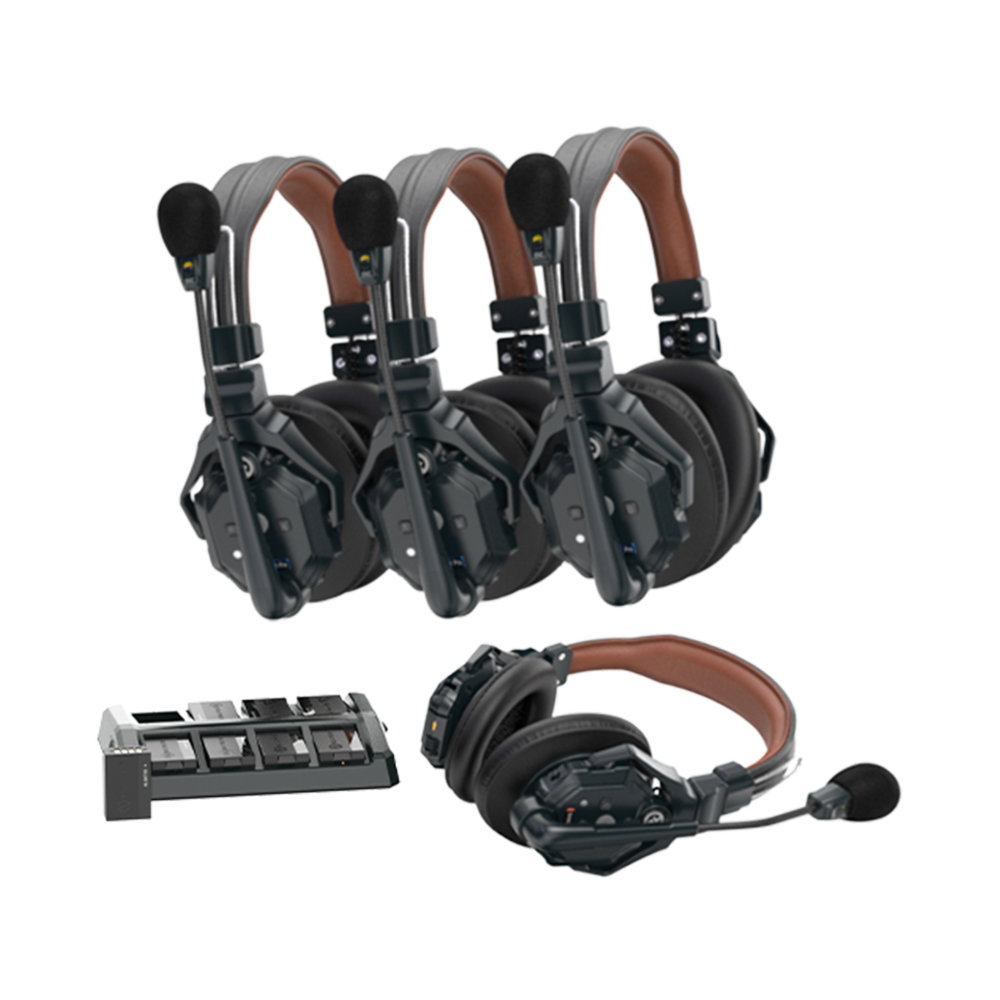
Double-ear versions exist for loud rooms. We stock the C1 Pro 4S-DH kit (four double-ear headsets), along with separate double-ear master, double-ear remote and single-ear remote headsets for building up or replacing a system.
Hub-based
The C1 Pro hub version turns one position into a base station. Hollyland lists a team of up to 9 in hub mode, including a wired headset on the hub itself. The hub adds A and B groups, an ANNOUNCE function, USB audio for video-call software, IP cascading of up to three systems and, most importantly for theatre, 2-wire and 4-wire audio inputs and outputs. Note Hollyland’s rule: a master headset cannot be used in a hub-based system, so the hub takes over that role.
C1 Pro Roaming Hub: headsets for big crews and big sites
The Solidcom C1 Pro Roaming Hub is Hollyland’s answer for large film, TV and event crews who want to stay in headsets. Hollyland’s figures:
- Up to 20 wireless headsets on one hub without cascading, in up to 6 groups.
- 1,600ft (500m) line-of-sight range from four omnidirectional fibreglass antennas.
- Two hubs cascaded over IP or 4-wire support up to 40 headsets, and headsets roam between hubs without dropping out.
- Compatible with both Solidcom C1 and C1 Pro headsets, so an existing C1 Pro fleet can move onto a hub.
- Runs from 7–30V DC, with V-mount and G-mount battery plate options.
The Roaming Hub 20S kit adds C1 Pro single-ear remote headsets, spare batteries and charging cases in a hard-shell carry case. If you already own C1 Pro headsets, the hub on its own may be all you need.
Solidcom SE and SE Pro: entry-level headset kits
The SE family works like a non-hub C1 Pro: a master headset and remotes, no base station, and single-ear headsets in Hollyland’s kits. There are two versions to tell apart.
- SE Pro: 1.9GHz DECT, 1,300ft (400m) line of sight, up to 11 users, kits from 2 to 9 headsets. Remotes run more than 10 hours with ENC on; the master manages more than 5 hours with 5 remotes and more than 3.5 hours with 11. Weight is about 185g with battery.
- SE Global Version: 2.4GHz, 1,100ft (350m) line of sight, sold as 2, 4 and 5-person kits. Hollyland quotes 12 hours for a remote and 10 hours for the master with 4 remotes.
The difference that matters is the band. 2.4GHz is shared with Wi-Fi and Bluetooth, which crowd most venues on a busy night. 1.9GHz DECT is a band set aside for DECT equipment. For anything other than a small, quiet shoot, the SE Pro is the safer choice. Remember that the two are not cross-compatible, and nor is the SE Pro compatible with the C1 or C1 Pro.
Neither SE version lists a wired intercom connection. If you need to join a partyline, look at the C1 Pro hub, M1 Pro or H1.
Solidcom M1 Pro: beltpacks and a base station
The M1 Pro looks like conventional theatre comms: a base station, a beltpack per person and a wired headset plugged into each beltpack. Beltpacks let crew choose their own headset, survive a dropped headset and put the talk button where a thumb can find it in the dark.
- 1.9GHz, 1,300ft (400m) line-of-sight range.
- 8 beltpacks per system, expandable by cascading base stations over IP or 4-wire.
- 2-wire and 4-wire audio interfaces, PoE on RJ45, and USB on the base station.
- Hollyland quotes up to 6 hours per 1500mAh battery, so plan on battery swaps for a long day.
- Beltpack weight about 200g; dual-mic ENC with 20dB of noise reduction.
We stock the 4-beltpack single-ear kit, the 4-beltpack double-ear kit and the 8-beltpack double-ear kit.
Solidcom H1: the large-scale beltpack system
The H1 is Hollyland’s biggest system and the one most people searching for “Hollyland H1 intercom” are weighing up. Instead of a single base station it uses ANT01 antenna units that each serve beltpacks on their own, with an optional Geo Central Station to tie a large site together. The H1-10S kit is one ANT01 with ten BPK01 beltpacks and single-ear headsets.
- Each ANT01 handles up to 20 beltpacks without a central station. Link up to three ANT01s for 30 beltpacks and up to 12 groups.
- With the Geo Central Station: up to 80 beltpacks and 100 groups, plus a 4×4 Dante interface.
- Each ANT01 covers up to 500m (1,640ft) radius in open field, and beltpacks roam between ANT01s.
- DECT 1880–1900MHz in the CE (European) version.
- Beltpacks run up to 15 hours, weigh under 305g with battery and have four customisable buttons.
- Wired headsets connect by LEMO; Bluetooth earbuds and over-ear headsets also pair with the beltpack.
- 2-wire and 4-wire interfaces on the Geo Central Station for joining a wired system.
A single-ear headset ships in the kit. For loud environments there is a double-ear ENC headset.
M1 Pro or H1?
Up to 8 beltpacks, one main area, a sensible budget: M1 Pro. More than 8 people, a site big enough that one antenna will not cover it, crew who need 15-hour battery life, or a Dante network to join: H1.
Range claims in practice
Every Hollyland range figure is a line-of-sight figure, and H1 is stated as “in open-field conditions”. That means a clear path between the radios with nothing in the way. Real venues are not like that. Walls, steel structures, fly towers, lift shafts, the audience’s bodies and even the wearer’s own head all eat into range.
- Put the master headset, hub or antenna unit high and central, not behind a rack or under the stage.
- Walk the building with the system before the show, including the dock, dressing rooms and any follow-spot box.
- If one hub or antenna cannot reach everywhere, that is what the Roaming Hub and H1 roaming are for.
On licensing: the European DECT versions use the 1880–1900MHz band, which Ofcom’s UK Interface Requirement 2011 lists as licence exempt for private self provided communication by cordless telephony (DECT) equipment. Ofcom’s wireless microphone pages do not cover this band, so check with Hollyland or Ofcom if you are unsure how that applies to your use. That is different from radio mics, which are covered in our wireless mic licensing guide. Buy the UK/European version: kits sold for the USA use 1920–1930MHz.
When a wired partyline makes more sense
Wireless intercom solves the moving person. It does not need to solve the person who sits at the same desk all night. Wired partyline has some clear advantages:
- No batteries at fixed positions. Desk stations and wired beltpacks do not run flat at the end of the second act.
- No radio to plan. A cable is not affected by a packed house, a building full of phones or the band next door.
- Fixed positions stay fixed. Sound desk, lighting desk, stage manager, follow spots and fly floor rarely move during a show.
- Simple expansion. Another outlet and another beltpack usually just plugs in.
Wireless wins for anyone who moves: stage crew, floor managers, camera operators, stewards across a large site. The common pattern in a theatre or church is a wired system for the fixed positions with wireless joined to it. That is what the 2-wire and 4-wire connections on the C1 Pro hub, M1 Pro and H1 Geo Central Station are for. Where you need to join a 2-wire partyline to 4-wire equipment, the Hollyland HL-WC01 2-wire to 4-wire converter sits between the two. Wired systems from different makers use different 2-wire standards, so tell us what you have and we will check the right connection before you order.
Which system for which job
| Use | Usually the best fit | Why |
|---|---|---|
| School or amateur theatre | C1 Pro (no hub) or SE Pro | Small crew, no rack to set up, headsets only. Add a C1 Pro hub to join an existing wired system. |
| Professional theatre | M1 Pro or H1 alongside a wired partyline | Beltpacks and channel buttons; 2-wire and 4-wire to the existing system. |
| Church services | C1 Pro or SE Pro | A handful of volunteers on cameras, sound and slides; simple to hand out. |
| Corporate events and conferences | C1 Pro with hub, or M1 Pro | Hub for a fixed director position and a link to show comms. |
| Film and camera crews | C1 Pro or Roaming Hub | No beltpack, all-day wear; Roaming Hub for 20+ crew across a big location. |
| Festivals, sports and large sites | H1 | Up to 80 beltpacks, roaming across many antenna units, Dante. |
For the wider kit in these rooms, see our school hall AV guide and church AV upgrade guide. If cameras are part of the job, HDMI vs SDI for live events covers getting the pictures back to the desk.
Broadcast headsets: where the Audio-Technica BPHS1 fits
The Audio-Technica BPHS1 is not an intercom. It is a wired broadcast headset: closed-back stereo headphones with a cardioid dynamic microphone on a boom, made for commentary, announcing and interviews. Choose it for a commentator or presenter on a mixer or audio interface.
The BPHS1-XF4 version is the one for comms. Audio-Technica fits it with a detachable cable terminating in a 4-pin female XLR for use with intercom systems. Check the wiring of your beltpack before ordering, as headset connectors are not wired identically across all brands.
Popular picks from the shop
Hollyland Solidcom C1 Pro 4S-DH Double-Ear Intercom KitView product → Hollyland Solidcom SE Pro 9-Person Headset IntercomView product → Hollyland Solidcom SE-2S 2-Person Intercom, Global VersionView product → Hollyland Solidcom M1 Pro 4-Beltpack Kit, Single-EarView product → Hollyland Solidcom M1 Pro 8-Beltpack Kit, Double-EarView product → Hollyland Solidcom C1 Pro Roaming Hub 20S KitView product → Hollyland HL-WC01 2-Wire to 4-Wire ConverterView product → Audio-Technica BPHS1 Broadcast HeadsetView product →
Frequently asked questions
What is the difference between the Hollyland C1 Pro and H1?
The C1 Pro is a headset-only system: the radio is in the headset, one headset acts as master, and up to 8 people can talk without a base station. The H1 is a beltpack system built around ANT01 antenna units, each serving up to 20 beltpacks, with roaming between units and up to 80 beltpacks using the Geo Central Station.
What is the range of the Hollyland Solidcom H1?
Hollyland quotes up to 500m (1,640ft) radius per ANT01 antenna unit in open-field conditions. Indoors, walls and structure reduce that, and larger sites add further ANT01s so beltpacks can roam between them.
Does the Solidcom C1 Pro need a base station?
No. In non-hub mode one headset is the master and up to 7 others connect to it. The optional hub adds a wired headset position, groups, and 2-wire and 4-wire connections to a wired intercom.
Can Hollyland Solidcom connect to a wired intercom?
The C1 Pro hub and M1 Pro have 2-wire and 4-wire interfaces. On the H1 they are on the Geo Central Station, which also adds Dante. The headset-only C1 Pro (without hub), SE and SE Pro do not list a wired connection.
Do I need a licence for a Hollyland intercom in the UK?
The UK/European DECT versions operate at 1880–1900MHz. Ofcom’s UK Interface Requirement 2011 lists cordless telephony (DECT) equipment in that band as licence exempt for private self provided communication. Ofcom’s wireless microphone pages do not cover this band, so check with Hollyland or Ofcom if you are unsure how that applies to your use. Make sure you buy the European version, not a kit made for the USA, which uses 1920–1930MHz.
Are Solidcom SE Pro headsets compatible with the C1 Pro?
No. Hollyland states the SE Pro is not compatible with the Solidcom C1, C1 Pro or SE Global Version. C1 Pro headsets do work with the original C1 and with the C1 Pro Roaming Hub.
Shop this guide
Hollyland wireless intercom, headsets and accessories. Tell us how many people need to talk, how big the site is and what wired comms you already have, and we will help you pick the system.
Wireless Intercom Intercom & Comms Intercom & Broadcast Headsets Intercom Accessories



